• 9 •
TROUBLESHOOTING
PROBLEM POSSIBLE CAUSE REASON/SOLUTION
The charger will not
turn on when properly
connected.
AC outlet is dead.
Poor electrical connection.
The quick-connect inline
fuse may be blown.
Reversing the connections
at the battery will cause this.
Check for open fuse or
circuit breaker supplying
AC outlet.
Check power cord and
extension cord for loose
tting plug.
Check the fuse. If it is
blown, replace it with
one of the same size and
rating (2A/32V).
I cannot select a 6V
or 12V setting.
The charger is equipped
with Auto Voltage
Detection, which
automatically detects the
voltage and charges the
battery.
No problem; this is
normal.
CHARGING
(yellow/orange) LED
is ashing.
Indicates the charger is in
abort mode.
See “Aborted Charge”
in the OPERATING
INSTRUCTIONS section.
SPECIFICATIONS
Input voltage ................................................................. 120V AC
@
60Hz, 0.4A
Output voltage ...................................... 6V or 12V, with Auto Voltage Detection
Output current rating ..................................................1A
@
6V DC and 12V DC
REPLACEMENT PARTS
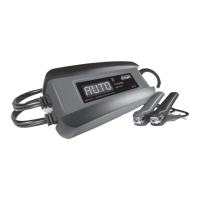
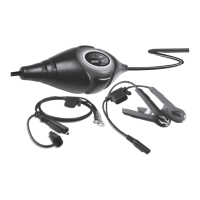
Battery clamp cable assembly .......................................................3899002668
Ring terminal cable assembly ........................................................2299002276
BEFORE RETURNING FOR REPAIRS
For troubleshooting info, contact customer service for assistance:
services@schumacherelectric.com•www.batterychargers.com
or call 1-800-621-5485, Monday-Friday 7:00am to 5:00pm CST
For REPAIR OR RETURN, contact Customer Service at 1-800-621-5485.
DO NOT SHIP UNIT until you receive a RETURN MERCHANDISE
AUTHORIZATION (RMA) number from Customer Service at Schumacher
Electric Corporation.


 To Next Page