www. superc hips.c om
5
TM
Right, Next,
Forward
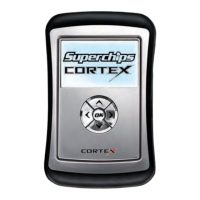
Use the Internet Update Application to update your Cortex tuner with the latest operating
software, the latest tuning available for your vehicle and to enable Data Acquisition. Start by
following the steps outlined below. You will need to be connected to the internet and running
Windows XP/2000 or Vista. Although Mac is not supported, Parallels Desktop or VMware
Fusion running a shell of Windows XP/2000 or Vista is supported.
1. Registeronwww.superchips.com.
2. Download&InstalltheInternetUpdateApplicationbylogginginwithyourregistered
usernameandpasswordandclickingtheDownloadbutton.
3. Login&runtheInternetUpdateApplication.
4. Followon-screenpromptsforpluggingyourUSBcableintoyourtunerandintoyourPC.
TosupplyoptimalpowerpleaseusetheUSBportslocatedonthebackofyourPC.
5. Choosefromanyavailablepackageselection.
6. Completetheupdateandthentuneyourvehicle.


 To Next Page