Version V1.3
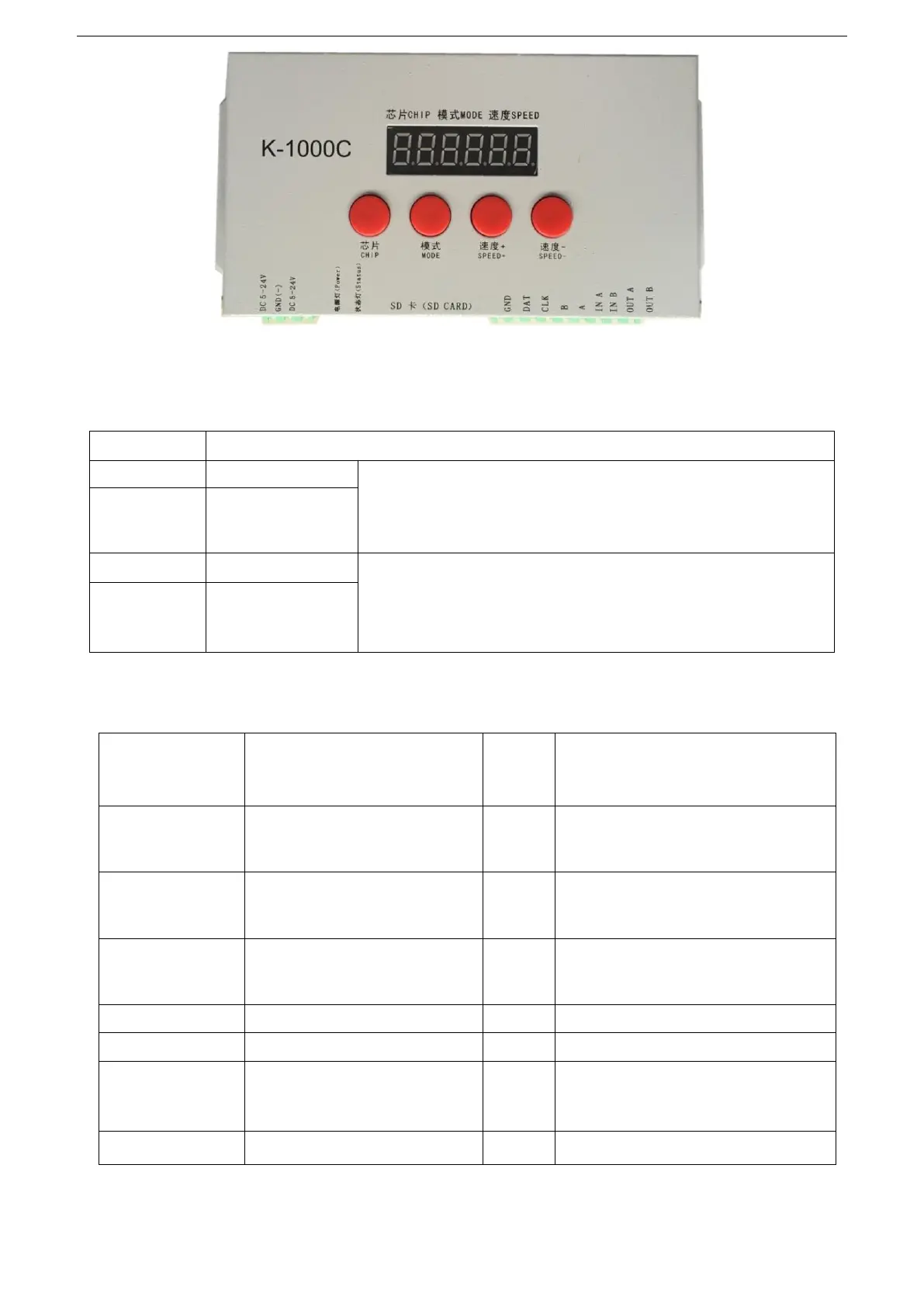
四、Silk screen definition:
1. Button meanings:
2. Port definition:
DC 5-24V power positive input
Cascaded synchronization signal,
connect the previous OUT A
DC power supply negative input
Cascaded synchronization signal,
connect the previous OUT B
Cascaded synchronization signal,
connect the next IN A
Cascaded synchronization signal,
connect the next IN B
Clock line
(
DMX lights address
writing
)
Press the chip button and then press the mode button to enter the
code writing mode; after completing the code writing, press the chip
button and then press the mode button to exit the writing mode.
Press SPEED+ and SPEED- at the same time to enter the effect file
loop playback mode, and the display C C C flashes, indicating that
entered the file loop playback mode


 To Next Page