2
A.ProductDescription
SUPERTOOTHONE
isa
Bluetooth®
handsfreekit thatsupportsheadsetand
handsfreeprofile phones. This handsfree kitis equipped with hitechfeatures
such as: VOX Technology, Multipoint Connection and Full DSP Noise
Cancellation/Echo Cancellation. It can also be used as speaker to stream
music fromyour phone over A2DP (Adva nce Audio Distribution Profile). Itis
designedforeasyhandsfreeoperationandsuperiorperformance.
Don'tforget:Drivesafelyandwithinthelaw.
Checkif thenationalorlocallegislati oninforceinyourcountrydoes notlimit
theuseof mobilephones whiledriving.Itisup totheuser ofthisproductto
respectthesaidlegislationintheareawherehe/shelives.
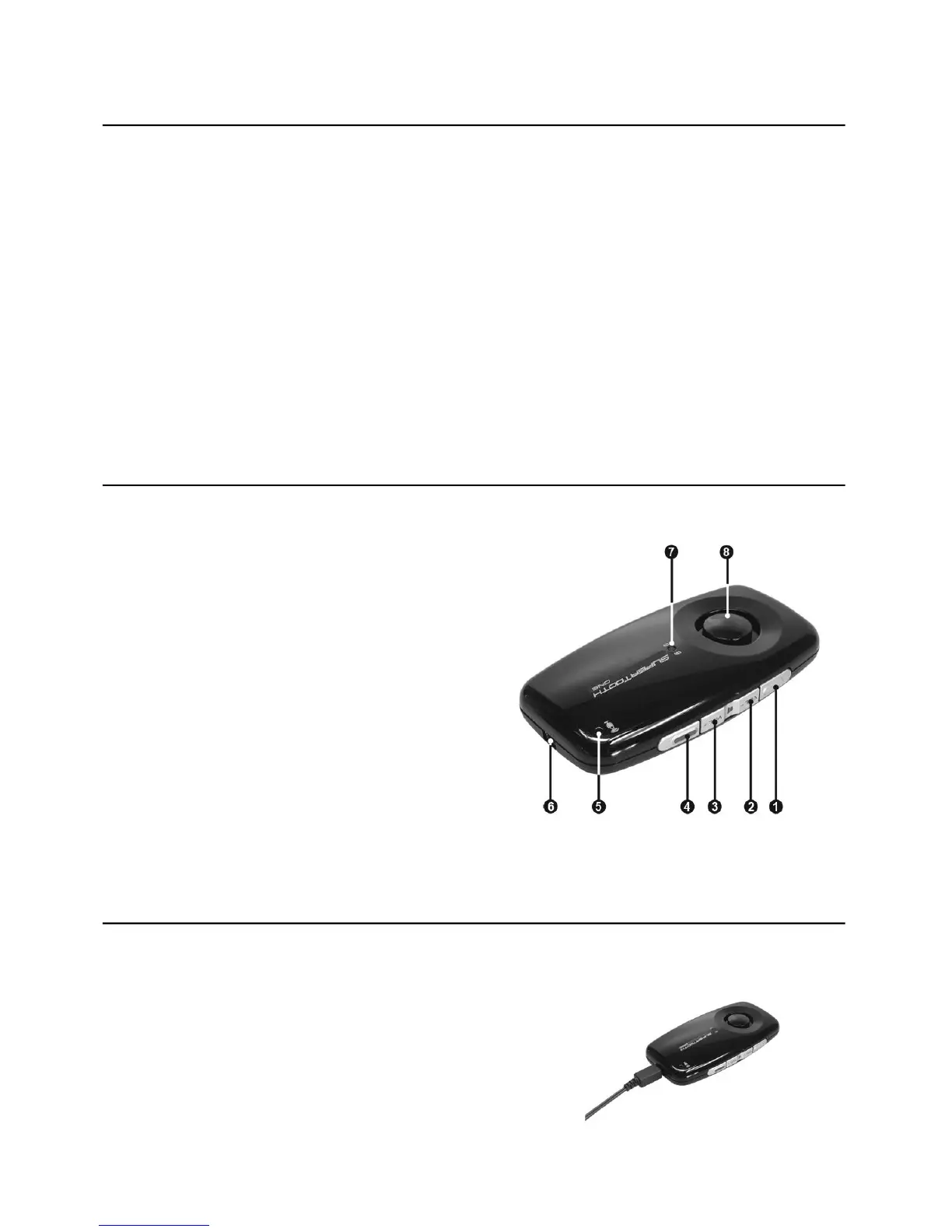
B.ProductOverview
1 MFBorMultifunctionButton
(poweron&off/pairing/answer/
voicedial/redial/audiotransfer)
2 VolumeDown
3 VolumeUp
4 End/RejectButton
5Microphone
6ChargerPort
7BluetoothIndicat or/ChargeIndicator
8Speaker
C.Charging
1. Connectthecharger’splugtotheChargerPort(6)oftheSUPERTOOTH
ONE.Connectthechargertoanexternalpowersource.
ChargeIndicator(7)Status:
SteadyRed: BatteryLow
SteadyOrange: Charging
SteadyGreen: BatteryFull
2. Whenfullycharged, disconnectthecharger.



 To Next Page