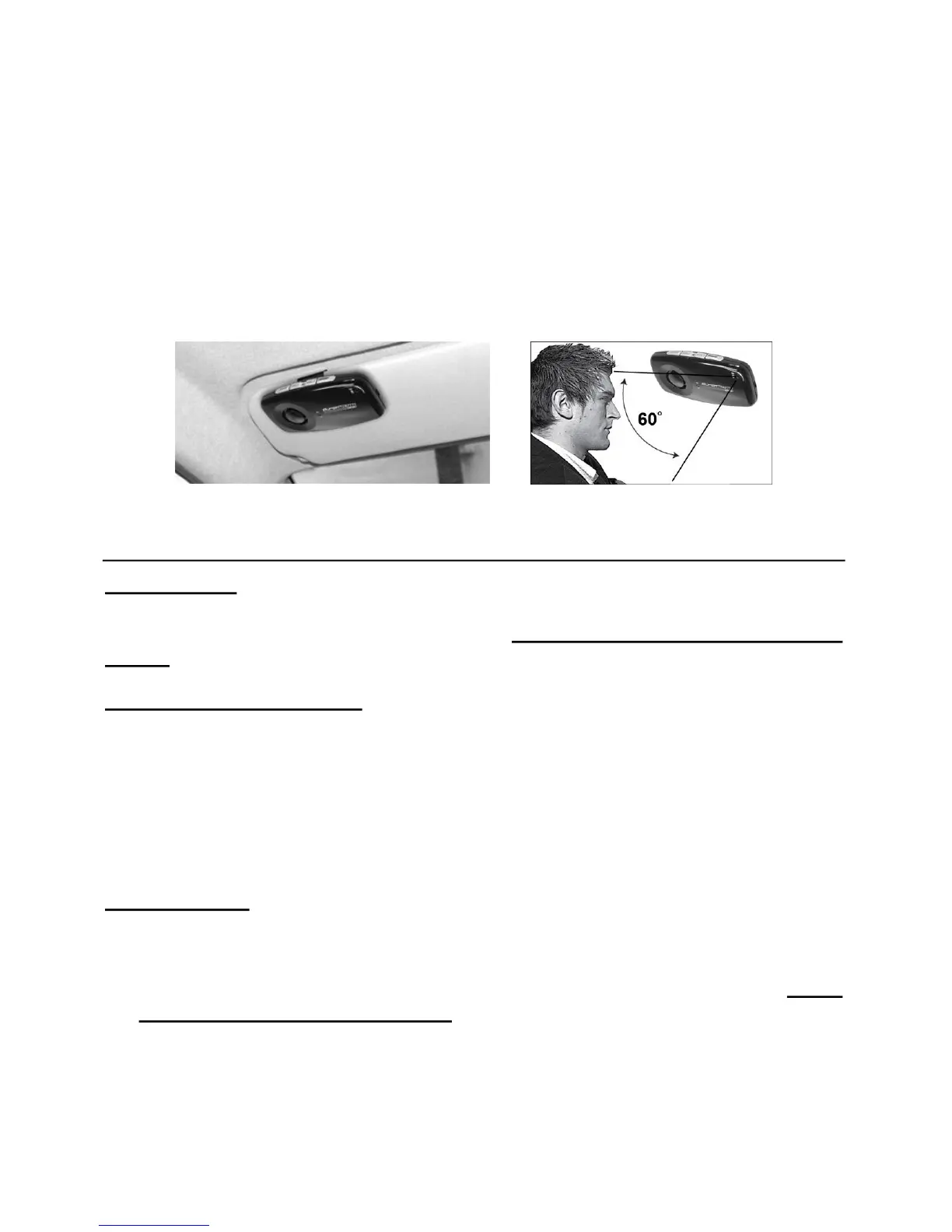
4
4. Place the SUPERTOOTH ONE on the sunvisor in such a way that its
microp honeisdirectedtothemouthofthe user.
G.BasicOperations
IMPORTANT:
Thehandsfreekitneedstobe
‘pair ed’
toyourBluetoothmobilephon e,before
youcanusethefollowingfunctions.
See“PairingtoyourBluetoothMobile
PhoneinSectionE”.
MakeaCall(NormalDial):
Dialthenumberon yourphone.Audiowillautomaticallybeheardthroughthe
handsfree kit. During an ongoing call, the Bluetooth Indicator (7) will turn
steadyblue.
Note: With some phones, audio is always on the ph one during an ou tgoing
call.Youwillne edtopressthe
MFB(1)
for1secondtotransfertheaudioto
yourhandsfreekit.
AnsweraCall:
· To answer a call, simply press the MFB (1) for 1 second, the Bluetooth
Indicator( 7)willturnsteadyblue.
· Alternatively, assuming that Voice Answer is activated (
see “Voice
AnswerActivation/DeactivationonSectionJ”
):
Accept a call by l oudly and clearly saying “ACCEPT CALL”, “ACCEPT”,
“ANSWER”or“OK”afterthespecialringtone.Sayitonlyonceandwithin 3
seconds emphasizing each syllable. When a call is answered, the
BluetoothIndicator(7)willturnsteadyblue.



 To Next Page