— 34
© 2011 Skier’s Choice, Inc.
GPS Display - Soft Key Commands
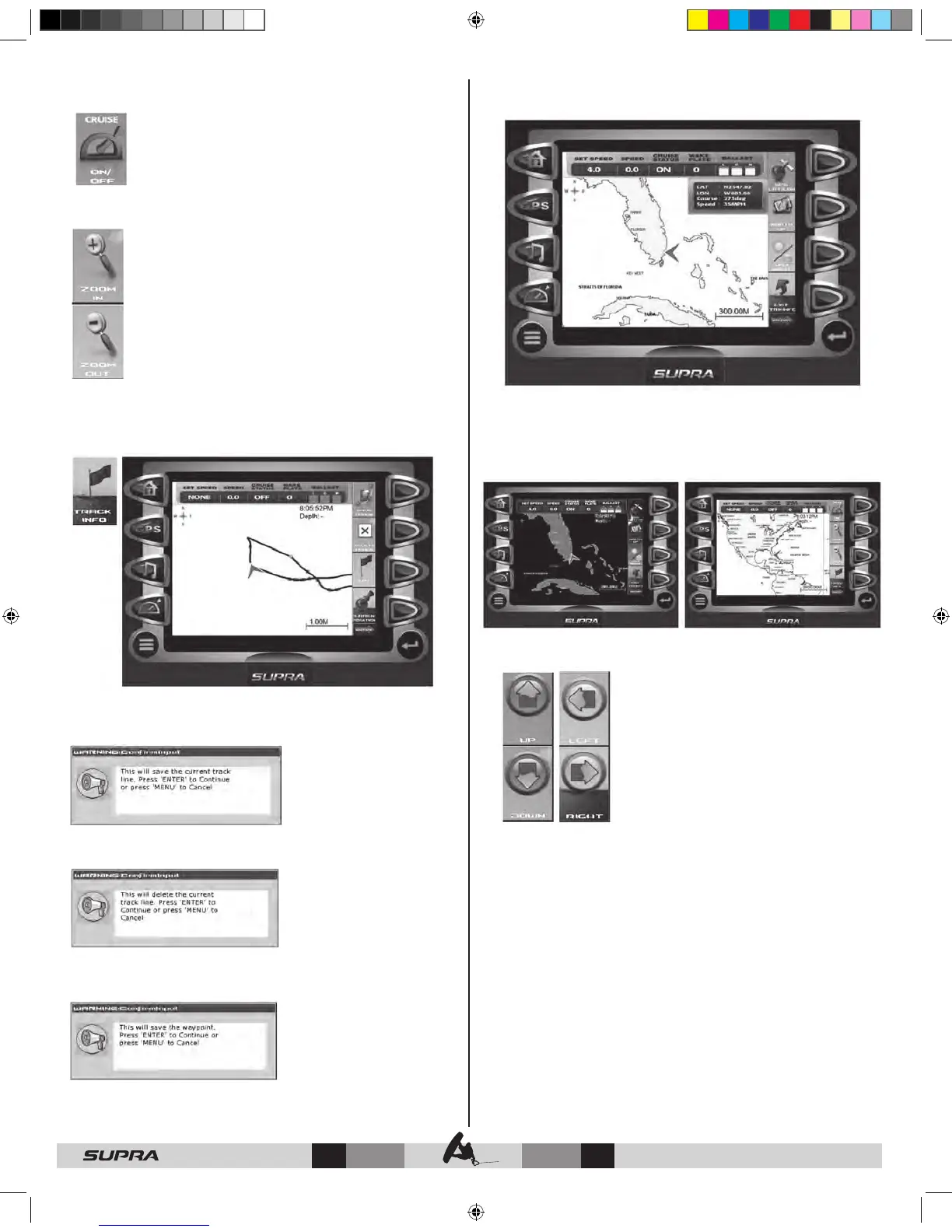
CRUISE ON/OFF – initiates cruise control in ‘on the
go’ mode or turns cruise off.
While Cruise is engaged, the following soft keys are
available:
INC – increases speed while in cruise mode.
DEC - decreases speed while in cruise mode.
CRUISE ON/OFF – turns cruise mode off.
ZOOM IN – ZOOM OUT – this feature lets you zoom
in for more detail or zoom out for a larger view of the
area map.
TRACK INFO – Tracking shows the current route and any
waypoints you have set. A green arrow indicates your current
position, while the red square indicates the initial point of
tracking.
Soft Key Commands for Track Info include:
SAVE TRACK – displays the following confirmation message
before saving the current track information.
DELETE TRACK – displays the following confirmation message
before deleting the current track information.
WPT – places a marker or ‘waypoint’ on the map to mark a
favorite location after displaying the following confirmation
message..
CURRENT POSITION – used to return to the current boat/
satellite position after having moved the cursor to another
location.
GPS LAT/LON – displays latitude, longitude, course and
speed.
NORTH UP – determines how the orientation of the map is
displayed; either conventional “North Up’, or according to the
current course heading, “Course Up”.
DAY/NIGHT - toggles the display to the opposite mode for
ambient lighting.
EXIT TRACK INFO – removes Track Info soft keys and displays
GPS soft keys.
UP – LEFT – RIGHT - DOWN – facilitates
navigation of the GPS map by moving the
cross-hairs accordingly.



 To Next Page