EasyManua.ls Logo

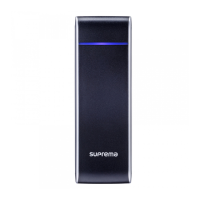
suprema Xpass S2 - User Manual

suprema Xpass S2
30 pages
Print Icon
To Next Page IconTo Next Page
Loading...
Xpass S2
EN 101.00.XPS2 V1.11
www.supremainc.com
Installation Guide
Intelligent IP Access Control Reader
Question and Answer IconNeed help?

Do you have a question about the suprema Xpass S2 and is the answer not in the manual?

Summary

Important Safety Information

Critical Safety Warnings

Warnings detailing potential serious injury or death if safety instructions are not followed.

Network Settings Reset

Wiring and Connector Guide

Power Connection Setup

Network Connectivity

Direct PC LAN Connection

RS485 Host Communication

RS485 Secure I;O Connection

Relay Connection (Fail-Safe Lock)

Relay Connection (Fail-Secure Lock)

Relay Connection (Automatic Door)

Digital Input (Alarm;Emergency)

Digital Input (RTE;Door Sensor)

Wiegand Interface

Wall-Mount Bracket Installation

Extended Bracket Installation

Product Specifications

Electrical Parameters

suprema Xpass S2 Specifications

General IconGeneral
Mobile CredentialYes
Ethernet10/100 Mbps
TamperYes
Ingress ProtectionIP65
IP RatingIP65
Power Supply12V DC
RFID13.56 MHz
TypeCard Reader
TechnologyRFID, NFC
Supported CardsMIFARE, DESFire, NFC
Communication InterfaceTCP/IP, RS-485
Wiegand26/34 bit
Operating Temperature-20°C to 55°C
Operating Humidity10% to 90%

Related product manuals