2
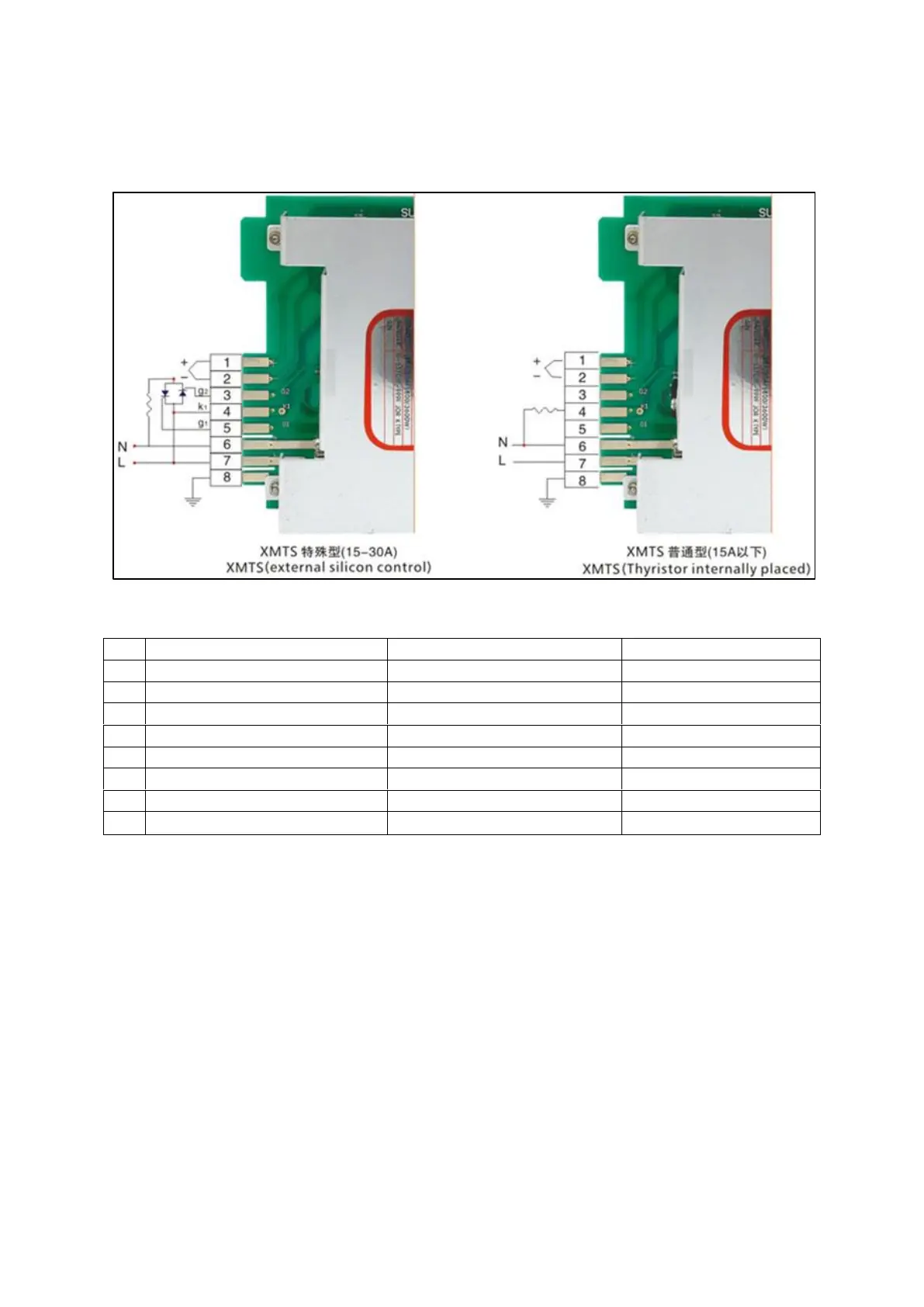
WIRING DIAGRAM – DRIVING SOLID-STATE and STD OUTPUT
ENCL. WIRE COLOUR - S/State
Solid-state drive signal G2
Solid-state drive signal G1
TO SET UP THE UNIT FOR OPERATION
1. TO SET SET-POINT (REQUIRED TEMPERATURE)
a. Press and hold the SET button until top row of display indicated ‘SU’
b. Set required temperature with Up and DOWN buttons
c. Press SET again to return to operation
2. TO SET (I think it is) PERCENTAGE VALUE (0-100%)
a. Press and Hold SET and DOWN buttons together
b. HH will show in the display
c. Adjust to required value using UP and DOWN buttons
d. Press SET to return to operation


 To Next Page
 Loading...