17
8. Analyse Game
Sureshotgps™ offers the unique function of analysing game scores and shots
if they were recorded during the game (see Scoring for instructions).
1. From the main menu use the up/down arrows to select Analyse Game and
then press the Select soft key.
2. Use the up/down arrows to select the desired Game and then press the
Select soft key.
3. Press the Statistics soft key to view the statistics for the game.
4. Press the Score soft key to display the score for the game.
5. Press the Back 9/Front 9 soft key to toggle between the front 9 and back 9
scores.
6. Press the Done key to go back to the Select Game display.
7. To delete a game use the up/down arrows to select the desired Game and
then press the Delete soft key. When prompted press the Yes soft key to delete
the game or the No soft key to return to the game list without deleting the game.
9. Demo
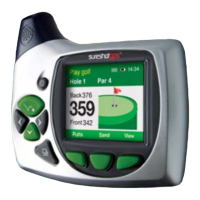
To view the demonstration screen on the Sureshotgps™, select Features > Demo.
This will provide a rolling demonstration of how the Sureshotgps™ shows distances
when in the Play Golf mode. By pressing the View soft key, the two viewing screens
per hole can be seen.


 To Next Page