5
1. Getting Started
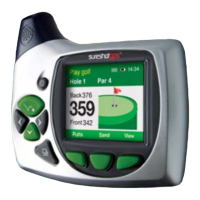
The contents of your Sureshotgps™ Box should include:
• Sureshotgps™ unit with belt clip
• SureAnalysis CD
• User Manual
• Quick Reference Guide to Icons
• AC World Charger
• USB Cable
Fully Charge your Sureshotgps™ Lithium Ion battery.
• Before you start using your Sureshotgps™ you must fully charge the internal
lithium ion battery for approximately 6 hours or overnight. The Right soft key will
flash during charging.
• Connect the AC world charger to a suitable power source, using the compatible
AC pin plug. Plug the USB cable from the AC charger into the Sureshotgps™. The
USB connector is located on the bottom of the Sureshotgps™. Ensure that the
orientation of the plug matches the socket in the Sureshotgps™ unit.
• Turn on the power to the AC adapter. You should allow six hours to fully charge
the battery. You cannot over charge the battery so you can leave it charging in
between use.
• You can also charge the Sureshotgps™ using the supplied USB cable and
connecting it to a computer. Note that you should not charge a completely flat
battery using this method. You should use the AC charger. The battery will take
longer to charge when using the USB cord.
• If the battery in your Sureshotgps™ has completely discharged your
Sureshotgps™ will automatically turn on a short time after charging has
commenced. To charge the battery in the shortest possible time make sure the
Sureshotgps™ is turned off when charging.


 To Next Page