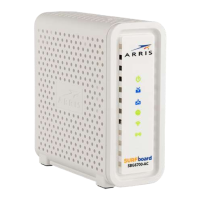
PN 365-095-25782 x.1 SURFboard SBG6580 Wireless Gateway User Guide
Copyright ARRIS Enterprises, LLC. 2013-2016. All Rights Reserved. 4
Set Up WPS on Your Wireless Network .................................................................. 46
Set Up a Wireless Guest Network ................................................................................... 47
Change the Wireless Network Name (SSID) .................................................................... 50
Change the Wireless Channel .......................................................................................... 51
8. Protecting & Monitoring Your Wireless Network ................................................... 54
Prevent Unauthorized Access .......................................................................................... 54
Change the Default Username and Password ................................................................. 54
Set Up Firewall Protection ............................................................................................... 57
Set Up Parental Controls ................................................................................................. 59
Set Up IP Filtering ............................................................................................................ 61
Set Up MAC Filtering ....................................................................................................... 62
Set Up Port Filtering ........................................................................................................ 63
Set Up Port Triggers ......................................................................................................... 64
Set Up Port Forwarding ................................................................................................... 65
Set Up the DMZ Host ....................................................................................................... 68
Set Up Firewall Event Log Notifications .......................................................................... 68
Store Remote Firewall Logs ............................................................................................. 69
9. Managing Your Gateway and Connected Networks ............................................... 71
View the Gateway Status Using the Device Status Button ............................................. 71
View the Gateway Product Information ......................................................................... 72
View the Gateway Network Connection Status .............................................................. 73
Back Up Your Gateway Configuration ............................................................................. 74
Restore Your Gateway Configuration Settings ................................................................ 75
Reset Your Gateway Settings .......................................................................................... 75
10. Troubleshooting Tips............................................................................................. 77
Solutions .......................................................................................................................... 77
Front Panel LED Icons and Error Conditions .................................................................... 78
11. Warranty Information ........................................................................................... 79


 To Next Page