PN 365-095-25782 x.1 SURFboard SBG6580 Wireless Gateway User Guide
Copyright ARRIS Enterprises, LLC. 2013-2016. All Rights Reserved. 71
Chapter 9
Managing Your Gateway and Connected Networks
You can use the SBG6580 Web Manager to view and monitor the network configuration
settings and operational status of your wireless gateway. You can also configure your network
connections and wireless security settings. See Protecting & Monitoring Your Wireless
Network for more information.
View the Gateway Status Using the Device Status
Button
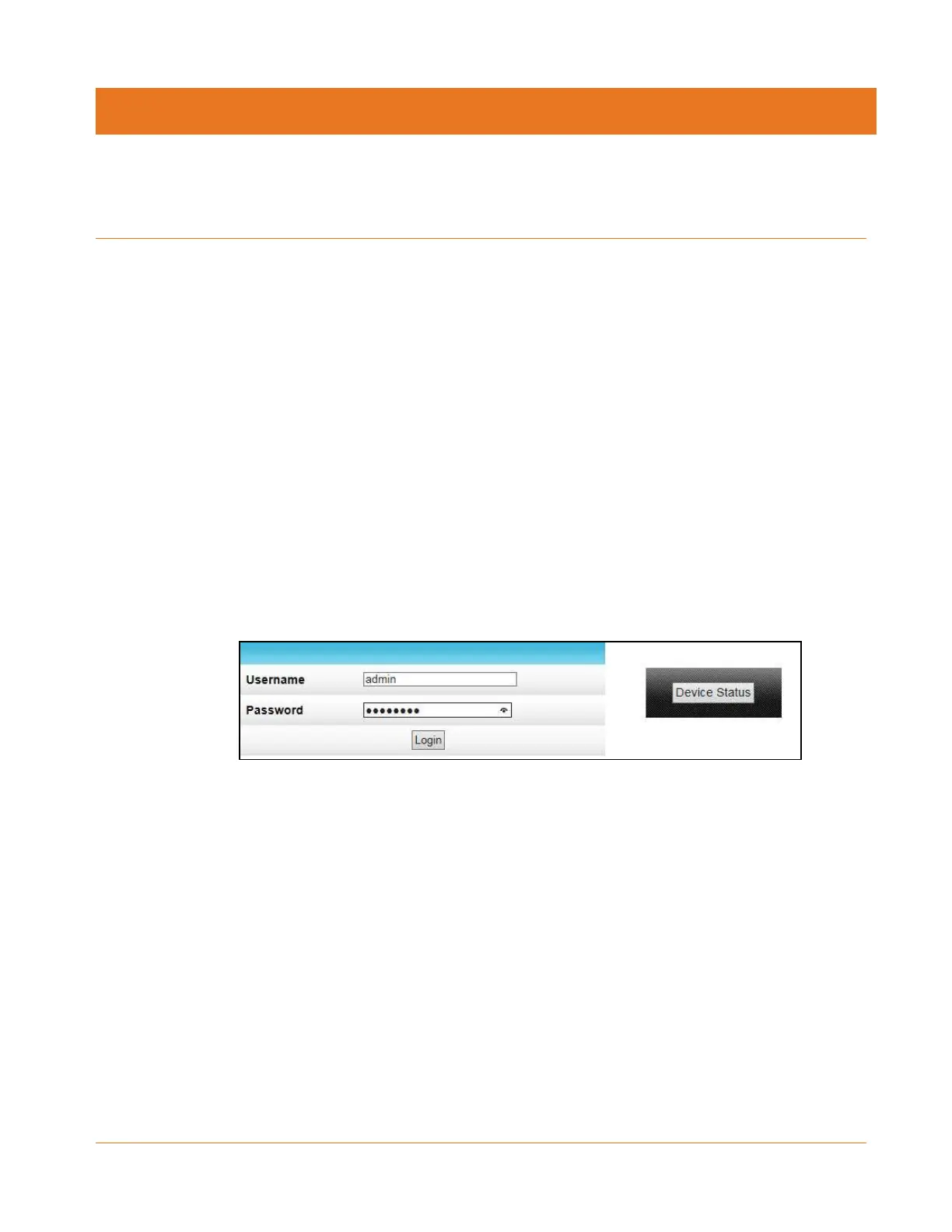
You can use the Device Status button on the SBG6580-2 Login screen to obtain a quick view of
the current configuration and network connection status of your SBG6580-2 without having to
log in to the SBG6580-2 Web Manager.
1. Open any web browser on the computer connected to the SBG6580.
2. Type the default LAN IP address, 192.168.0.1, in the Address bar and then press Enter.
The SBG6580-2 Login screen displays.
Figure 69: SBG6580-2 Device Status Button
3. Click Device Status button to open the SBG6580-2 Device Status screen (see Figure 70).
4. Click Close to exit.


 To Next Page