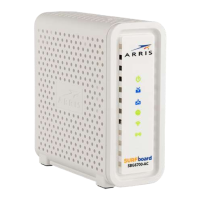
PN 365-095-25782 x.1 SURFboard SBG6580 Wireless Gateway User Guide
Copyright ARRIS Enterprises, LLC. 2013-2016. All Rights Reserved. 3
Table of Contents
1. Safety and Regulatory Information .......................................................................... 5
2. Getting Started ..................................................................................................... 11
Introduction ..................................................................................................................... 11
In The Box ........................................................................................................................ 11
Additional Items Needed (Not Included) ................................................................ 12
System Requirements ...................................................................................................... 12
Contact Information ........................................................................................................ 13
3. Product Overview ................................................................................................. 14
Front Panel ...................................................................................................................... 14
Wi-Fi Protected Setup™ (WPS) ............................................................................... 15
Rear Panel ........................................................................................................................ 16
Gateway Label ................................................................................................................. 17
4. Installing the Gateway .......................................................................................... 18
Connect the SBG6580 to Your Computer ........................................................................ 18
Establish an Internet Connection .................................................................................... 19
Wall Mount the SBG6580 ................................................................................................ 20
Wall Mounting Template ........................................................................................ 22
5. Setting Up a Wireless Network Connection ........................................................... 23
Launch the SBG6580 Quick Start Wizard ........................................................................ 23
Set Up a Wireless Network Using Your Computer .......................................................... 29
Quick Connect Using the Windows Task Bar .......................................................... 29
Connect Using the Windows Control Panel ............................................................ 32
Test Your Wireless Network Connection......................................................................... 34
Connect Your WPS-Enabled Wireless Devices ................................................................ 35
6. Using the Gateway Web Manager ......................................................................... 36
Start the Gateway Web Manager .................................................................................... 36
Gateway Web Manager Menu Options .................................................................. 39
Get Help ........................................................................................................................... 40
Overview Help ........................................................................................................ 41
Help Links ................................................................................................................ 41
Field Level Help ....................................................................................................... 42
Exit the SBG6580 Web Manager ..................................................................................... 43
7. Configuring Your Wireless Network ....................................................................... 44
Set Up Your Wireless Primary Network........................................................................... 44


 To Next Page