© SurgeX | Technical Support: 800-645-9721 | surgex.com Page 24
Models: UPS-1500-OL, UPS-2000-OL, UPS-3000-OL
SX-BDL-1500, SX-BDL-2000
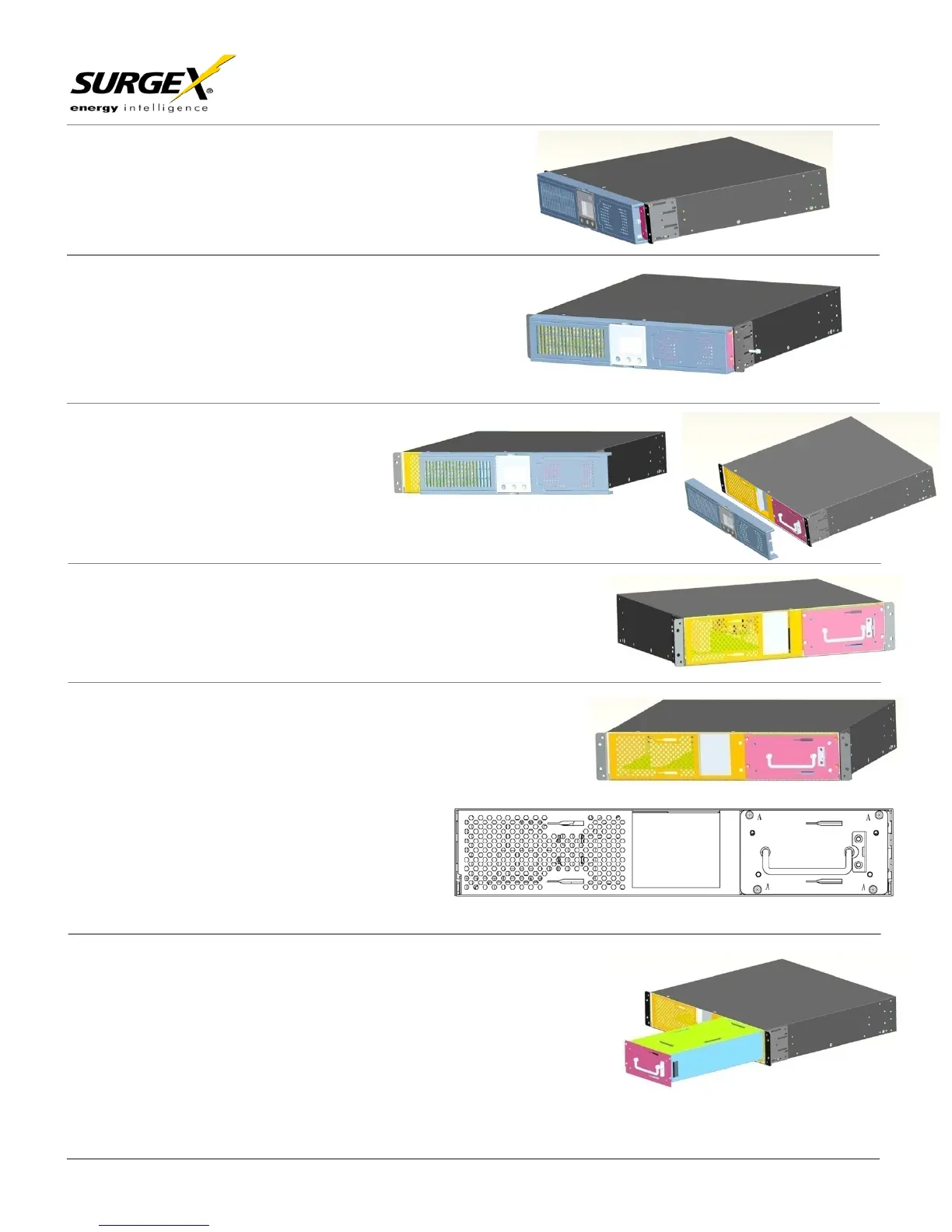
Slide the plastic cover to the right
Remove the M5 x 10 screws on the right side
Remove plastic front cover
Locate the battery tray on the right front side of the UPS
Remove (4) M4x6 screws marked with letter A.
Remove the battery tray from the UPS.


 To Next Page