EasyManua.ls Logo

Suunto KB-20 - User Manual

Suunto KB-20
3 pages
Print Icon
To Next Page IconTo Next Page
Loading...
1
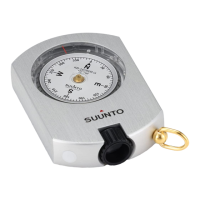
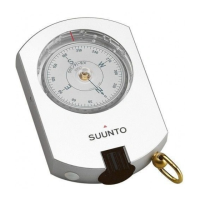
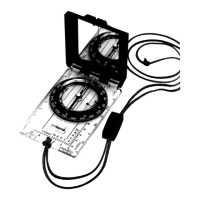
SUUNTO KB-20 COMPASS
USER GUIDE
1. Compass anatomy
1. Optics
2. Bearing index
3. Compass card
2. Orienting the map
To better understand your surroundings, you should use your
compass to rst turn your map in the right direction. This
ensures the geographic features around you are in the same
general direction as you see them on the map.
1. Hold your compass level and look at the red end of the
needle to see where north is.
2. Turn the map so that the northern upper edge is pointing
north.
3. Adjust focus
1. Close one eye and look through optics.
2. Turn optics knob until numbers are clear.
NOTE: For best viewing, the oval-shaped aperture should be
aligned with the sighting line.
0
3
0
6
0
9
0
1
2
0
1
5
0
1
8
0
2
1
0
2
4
0
2
7
0
3
0
0
3
3
0
I
I
I
I
I
I
I
I
I
I
I
I
I
I
I
I
I
I
I
I
I
I
I
I
I
I
I
I
I
I
I
I
I
I
I
I
I
I
I
I
I
I
I
I
I
I
I
I
I
I
I
I
I
I
I
I
I
I
I
I
I
I
I
I
I
I
I
I
I
I
I
I
I
I
I
I
I
I
I
I
I
I
I
I
I
I
I
I
I
I
I
I
I
I
2
1
3
en
Question and Answer IconNeed help?

Do you have a question about the Suunto KB-20 and is the answer not in the manual?

Summary

Compass Anatomy

Optics

Part of the compass used for viewing and taking readings.

Bearing Index

A marking on the compass used to align with the sighting line for readings.

Compass Card

The rotating part of the compass that displays direction and degree markings.

Orienting the Map

Adjust Focus

Sight a Bearing

Triangulation

Care and Maintenance

Cleaning Instructions

Use fresh water and mild soap; unscrew optics knob for interior cleaning.

Operating and Storage Temperature

Specifies the acceptable temperature range for the compass.

Cautionary Notes

Warnings against using solvents, repellents, or dropping the compass.

Suunto Customer Support

Suunto KB-20 Specifications

General IconGeneral
BaseplateNo
Rotating BezelYes
Graduation interval
Liquid-filledYes
MagnifierNo
ClinometerNo
Global needleNo
Accuracy
Declination AdjustmentNo

Related product manuals