31
Use the [ ] or [ ] buttons to select “EXTER-
NAL” and press the [SET] button to display the
multifunction gauge serial number and informa-
tion about the devices connected to the NMEA
line (such as the GPS module).
Device List
33920-98L20 0
CAN 2
33920-98L20 1
34200-96L40 1
34200-96L40 10
34200-96L41 0
Device List
CAN 2
External
Serial No. 00000CB8
POINT-1 GPS
6271
Device List
External
6. Keyless
You can display the Keyless Start System pass-
code. You can also change the passcode.
(1)If you have the keyless fob
• Confirm the keyless fob is within the com-
munication range of the Keyless Start
System.
• Confirm that the keyless fob is in commu-
nication ON mode. (Refer to “Switching
the communication mode of the keyless
fob” section.)
• Press the [ ] or [ ] button to select
“Keyless” and then press the [SET] button
to display the Keyless selection menu.
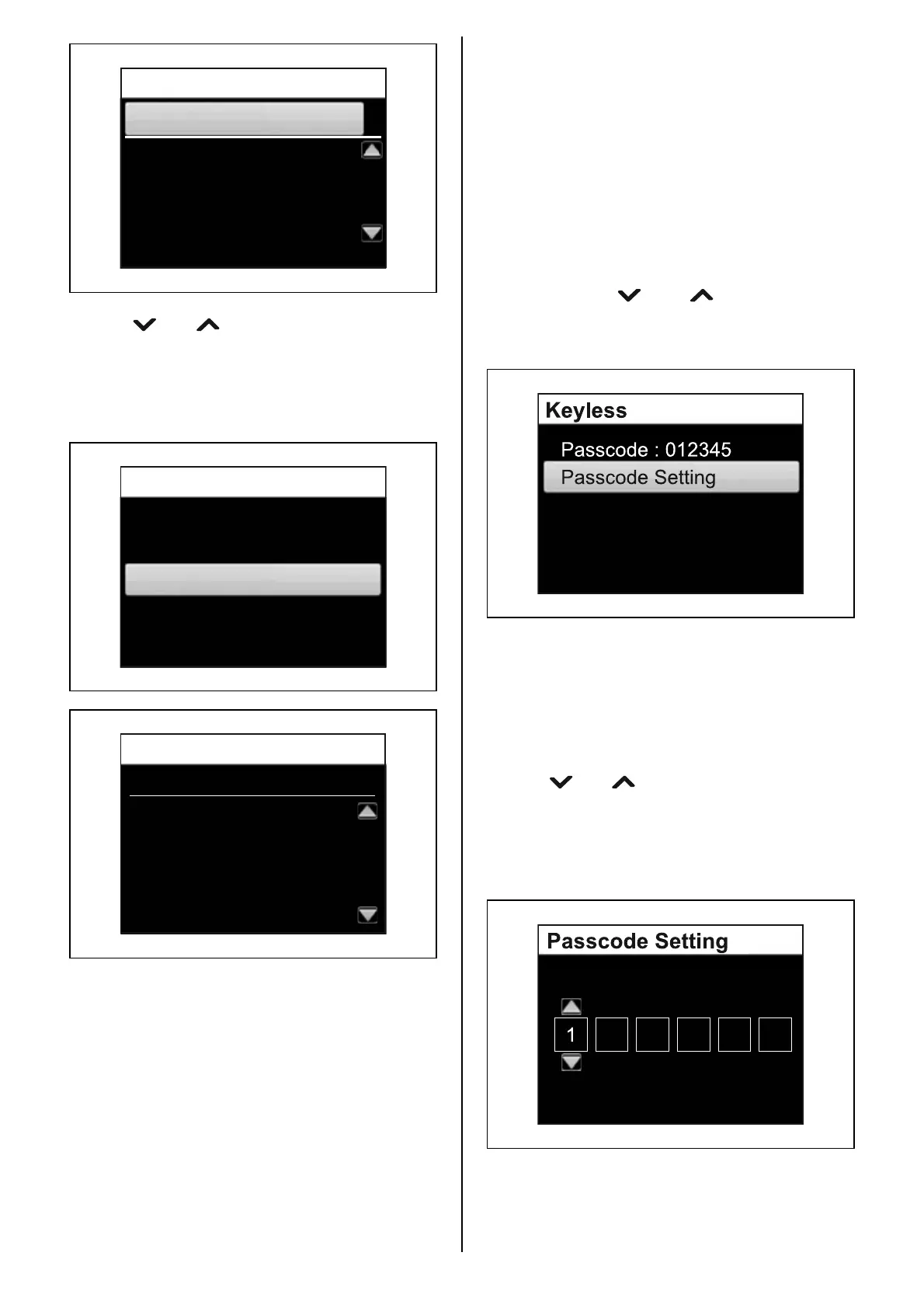
Passcode
The passcode appears.
Passcode Setting
Press the [SET] button.
Enter a 6-digit passcode.
Use the [ ] or [ ] buttons to select a number
for each digit.
Press the [SET] button to move to the next digit.
Press the [MENU] button to return to the previ-
ous digit.



 To Next Page