CONTROL PUSH
CONTROL PUSHCONTROL PUSH
CONTROL PUSH-
--
-BUTTONS
BUTTONSBUTTONS
BUTTONS
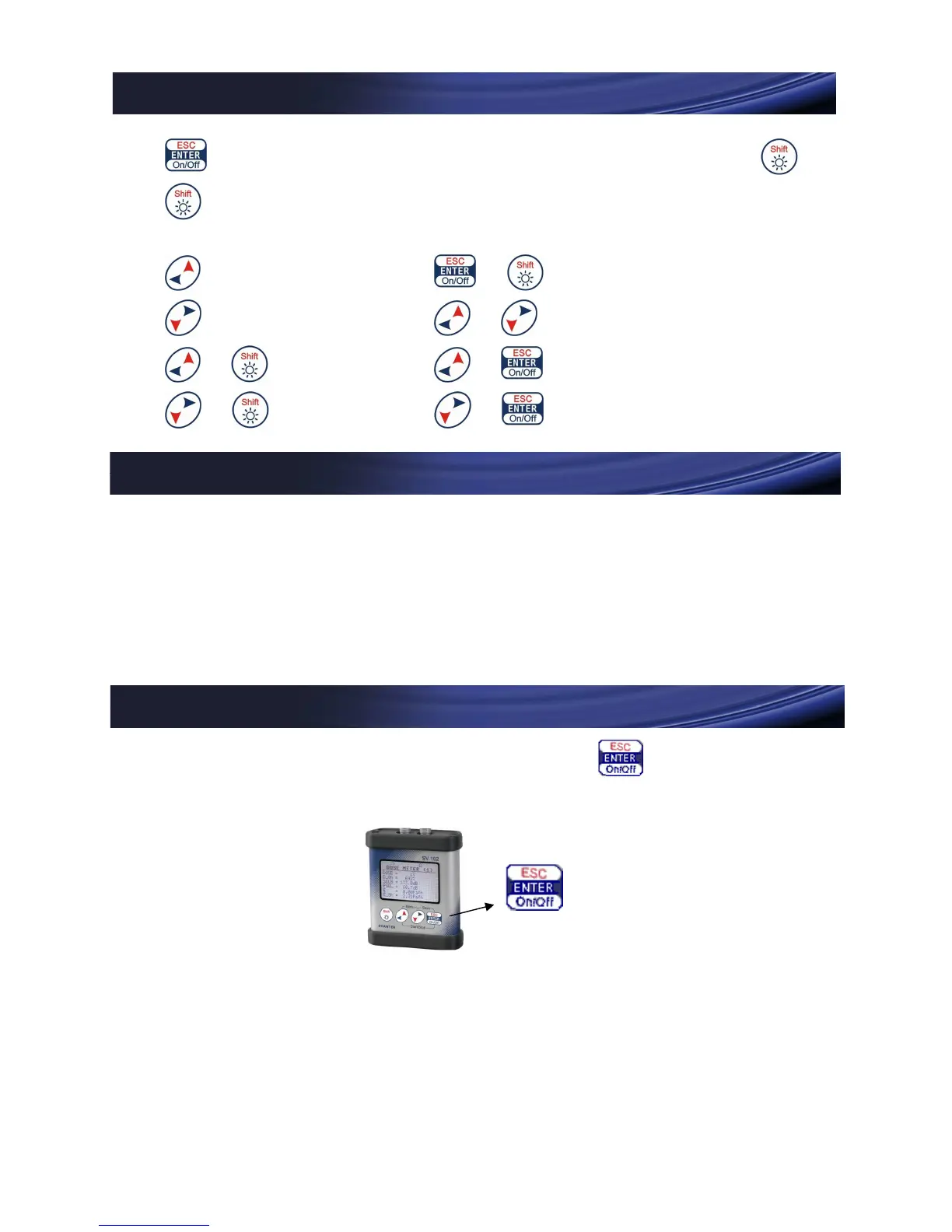
On/Off (if held); ENTER; ESCAPE (if pressed with )
SHIFT - second (“red”) functionality of other push-buttons;
switching on the backlight (if held)
LEFT + ESCAPE
RIGHT +
Menu
+
UP + Start/Stop
+ DOWN + Save
BEFORE
BEFORE BEFORE
BEFORE YOU
YOU YOU
YOU TUR
TURTUR
TURN
NN
N INSTRUMENT
INSTRUMENT INSTRUMENT
INSTRUMENT ON
ON ON
ON
Plug in the microphone(s) before turning on
the instrument. In the case of one channel operation
please use left microphone input. Plug Lemo connector
carefully until it clicks.
TURNING
TURNINGTURNING
TURNING INSTRUMENT
INSTRUMENT INSTRUMENT
INSTRUMENT
ON AND OFF
ON AND OFFON AND OFF
ON AND OFF
To turn the instrument on or off, press and hold for at
least five seconds.
Notice: The following view may appear on the display:


 To Next Page