EasyManua.ls Logo

SVBONY SV189 - User Manual

SVBONY SV189
53 pages
Print Icon
To Next Page IconTo Next Page
Loading...
SV189
EN
JP
DE
FR
IT
ES
RU
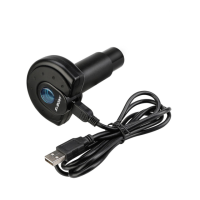
USB Microscope Digital Camera
User Manual
Question and Answer IconNeed help?

Do you have a question about the SVBONY SV189 and is the answer not in the manual?

Summary

Product Introduction

Package Including

Lists all items included in the SVBONY SV189 package, such as the camera, adapter, and cable.

Adapter Assembly

Instructions on how to attach the microscope adapter to the camera for proper use.

Product Specifications

Details the technical specifications of the SVBONY SV189 digital microscope camera.

Installation Guidelines

Software Installation Methods

Covers PC system requirements and installation via CD or website download.

Installation Process

Provides a step-by-step guide through the software installation wizard.

Installation and Debugging

Guides on specimen setup, achieving clear imaging, and connecting the camera.

Software Function Introduction

Camera Mode Operations

Details functions like Snap, Record, Browse, and various settings in Camera mode.

Measurement Mode Operations

Explains how to use measuring tools for analyzing specimen dimensions.

Data Export and Image Capture

Covers exporting measurement data to files and capturing preview images.

Data Calibration and Backup

Guides on calibrating measurements and backing up calibration data.

Warning and Safety Information

General Safety and Usage

Important operating instructions for safe usage and compliance with standards.

Regulatory Compliance

Details FCC, CE, and IC compliance requirements for the device.

Disposal Guidelines

Information on proper disposal of electronic products and batteries in the EU.

Choking Hazard and Accessories

Warning about small parts for children and guidelines for approved accessories.

Warranty Information

Warranty Card Details

Fields for recording product model, purchase date, defect reason, and user details.

Warranty Terms and Exclusions

Outlines warranty coverage, remarks, and conditions for exclusion from warranty.

Summary

Product Introduction

Package Including

Lists all items included in the SVBONY SV189 package, such as the camera, adapter, and cable.

Adapter Assembly

Instructions on how to attach the microscope adapter to the camera for proper use.

Product Specifications

Details the technical specifications of the SVBONY SV189 digital microscope camera.

Installation Guidelines

Software Installation Methods

Covers PC system requirements and installation via CD or website download.

Installation Process

Provides a step-by-step guide through the software installation wizard.

Installation and Debugging

Guides on specimen setup, achieving clear imaging, and connecting the camera.

Software Function Introduction

Camera Mode Operations

Details functions like Snap, Record, Browse, and various settings in Camera mode.

Measurement Mode Operations

Explains how to use measuring tools for analyzing specimen dimensions.

Data Export and Image Capture

Covers exporting measurement data to files and capturing preview images.

Data Calibration and Backup

Guides on calibrating measurements and backing up calibration data.

Warning and Safety Information

General Safety and Usage

Important operating instructions for safe usage and compliance with standards.

Regulatory Compliance

Details FCC, CE, and IC compliance requirements for the device.

Disposal Guidelines

Information on proper disposal of electronic products and batteries in the EU.

Choking Hazard and Accessories

Warning about small parts for children and guidelines for approved accessories.

Warranty Information

Warranty Card Details

Fields for recording product model, purchase date, defect reason, and user details.

Warranty Terms and Exclusions

Outlines warranty coverage, remarks, and conditions for exclusion from warranty.

SVBONY SV189 Specifications

General IconGeneral
Sensor TypeCMOS
FocusManual
Pixel Size2.9um
Shutter TypeRolling Shutter
Operating System CompatibilityWindows, Mac, Linux
ConnectivityUSB

Related product manuals