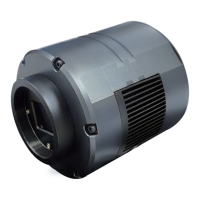
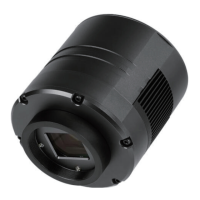
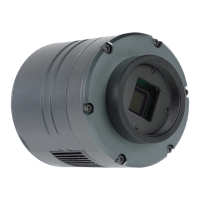
SVBONY SV205 User Manual
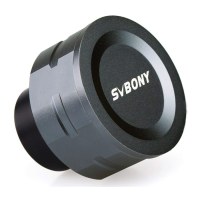
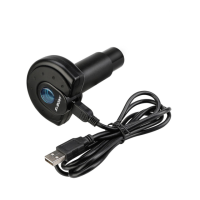
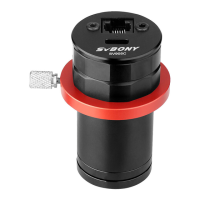
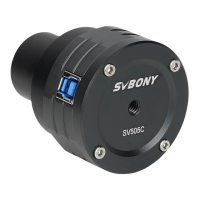
Thanks for purchasing your new 1.25” electronic eyepiece SVBONY SV205
astronomy camera! This user manual guides you how to use the SV205
camera. Please take time to read this manual completely before using it.
If you have any questions, please feel free to contact us:
Web: www.svbony.com
Email: info@svbony.com
Facebook: www.facebook.com/svbony
Package Include
1 - 8MP SV205 Astronomy Camera
2 - 1.2m USB 3.0 Cable
3 - 1.25” Dust Cover
4 - Cleaning Cloth
5 - User manual
Specifications
How to Use Astronomy Camera
1. Download the astronomy software from sharpcap site:
https://www.sharpcap.co.uk/sharpcap/downloads
2. Install the astronomy software to your computer.
3. Connect your SV205 camera to the computer, Windows system will re-
mind the discovery of a new hardware. (Note: Do not use an extension
cord or USB HUB that may affect the speed and stability of the image
transmission. The USB3.0 SV205 camera could work with USB2.0
port. but the transport speed will be as slow as USB2.0)
4. SV205 is standard UVC device, it works with Windows 7, 8, 8.1, 10.
Windows system will automatically
install the driver.
5. Check the SV205 in the computer
device manager. Make sure every-
thing connecting well.
6. Run the astronomy 【sharpcarp】
capture software as administrator.
enter sharpcap software and single
click the【camera】button, you will
see【SVBONY SV205 Camera】.
Double click it, then you will see the
image or some light on the screen,
so the SV205 works.
7. Connect the SV205 camera to your
telescope, and you will see what the
telescope seeing on your computer
screen. Adjust the telescope focus
wheel to get a most clear image.
Image Sensor
Sensor Model
Image Resolution
USB Type
Pixel Size
Shutter
Exposure Time
Gain
Maximum Frame Rate
ADC
Interface Type
Cable Length
Weight
Support System
Support Telescope
Power Consumption
Working Humidity
Storage Humidity
Operating Temperature
Storage Temperature
1/3.2” COMS Color Sensor
SONY IMX179
8M Pixels (3264*2448)
USB 3.0
1.4μm X 1.4μm
Electronic Rolling Shutter
15ms-1000ms
0-120
15FPS(3264*2448)30FPS(1920*1080)
10 bit
Standard UVC protocol
1.2m
100g
Windows7,8,10
Telescope with 1.25” diagonal
230MA@5V
30%-80%
20%-90%
0℃ to +50℃
-10℃ to +60℃
Not connect the telescope Connect the telescope
Structure
Quality Assurance & Warranty
The warranty time is one year. Within warranty period, if the camera fails
to function, we will provide you with free after-sales maintenance service.
Besides the warranty days, We provide life-long maintenance services
and charge only the parts that need repair or replacement. The buyer will
pay for the postage of returning camera to factory to be repaired. Within
the warranty period, if the following occurs, certain maintenance costs will
be charged.
1. The malfunction and damaged caused by incorrect use, the unauthorized
repairs and alteration.
2. The damage caused by fire, flood, earthquake, other natural disasters
and secondary product damage.
3. The product malfunction caused by the fall and transportation failures
after purchase.
4. The malfunction and damaged caused by the other barriers (man-made
factors or external device).
5. Purchase without the warranty card and purchase invoices.
5. Manually adjust Gain, Contrast, Exposure Time, Frame Rate and Color
Saturation on the right side table. To get the ideal image you want.
- Cameras Controls
Manually adjust the parameters
to satisfy your need. It’s better
to use the automatic default
mode.
- Image Controls
Manually adjust the parameters
to satisfy your need. It’s better
to use the automatic default
mode.
The Sharpcap software will
continue to update, please
pay attention to download
the latest version
https://www.sharpcap.co.uk/sharpcap/downloads
General Clean
Svbony SV205 camera comes with an IR-Cut protection window, which
could protect the sensor from dust and humidity. And the inside of the
image sensor is dry and sealed. If you should clean the sensor, it is best
to do it during the daytime. To see the dust, please connect the camera
to your telescope. Point the telescope to a bright place, a Barlow lens is
required to see the dusts clear. Then attach the camera and adjust the
exposure to make sure not over exposed. You will see an image like below
if it is dirty.
1) The small but dark black spot on
the image (left) are the shadows
of dust on the sensor.
2) The big spot on the image (right)
are the shadows of dust on the
protection window.
The Suggested way to clean them is
try to blow them away with a manual
air pump. To clean the dust on the sensor you will need to open the
camera chamber.
Product Model Purchasing Date
Defect Reason
Dealer Name Telephone
User’s Name Telephone
User’s Address
User’s Email
Guarantee Clause:
1. Our product have one year guarantee and free after-sale service. (Out of these 5 conditions )
2. Please fill in the form with the correct and true information in case we can resend the item to you.
Warranty Card
Φ50.00
Φ31.75
28.00 15.00
1 2
3 4

 Need help?
 General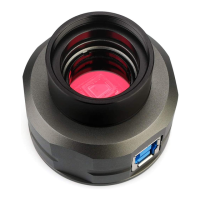

 To Next Page