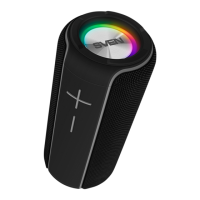
Portable Speaker System with
Bluetooth and FM-radio
ENG
6
Radio mode
Attention! To improve the reception quality of the radio signal, connect the 3.5 mm mini-jack cable
(included) to the AUX IN input
o
.
• Turn on the speaker system – press button МODE m several times until the display shows the
station frequency. Long-term pressing button s activates auto search mode. After scanning
completion, the first scanned radio station will start to operate automatically. With buttons r
and t select a desired radio station.
Player mode
Attention! The file system of a micro SD carrier is FAT32. Maximum volume is 32 GB.
It is not recommended to use the micro SD Ultra Speed.
• The system will enter the Player mode automatically when a carrier (USB flash or SD card) is
connected to corresponding ports. Use button s to switch between Play/Pause modes. You can
control tracks by using buttons r (previous track) and t (next track).
The use in the wired mode (LINE IN)
• Speaker system can be used as an external device for amplifying any audio source with a 3.5 mm
output mini-jack. Connect a cable mini USB, plug 3.5 mini-jack to the audio input AUX e. Turn the
speakers to the LINE IN mode – press the MODE button m several times until «LINE» appears on
the display.
Connecting an additional speaker
(only for models with production date from 04.2021)
For models PS-520/PS-580 you can connect an additional speaker (Bluetooth mode only):
• Turn both speakers into Bluetooth mode.
• Connect the signal source to one of the speakers via Bluetooth (the second column should be
in search mode).
• On another speaker press and hold button DEL(TWS).
• If two speakers are successfully connected between themselves, the inscription TWS will glow
constantly.
Reset
To reset the settings, long press the EQ button until «RES» appears. Then press button
h on the
RC or button s on the front panel. Settings will reset.



 To Next Page