HOW TO USE:
Remove the clock and AC adaptor from the package.
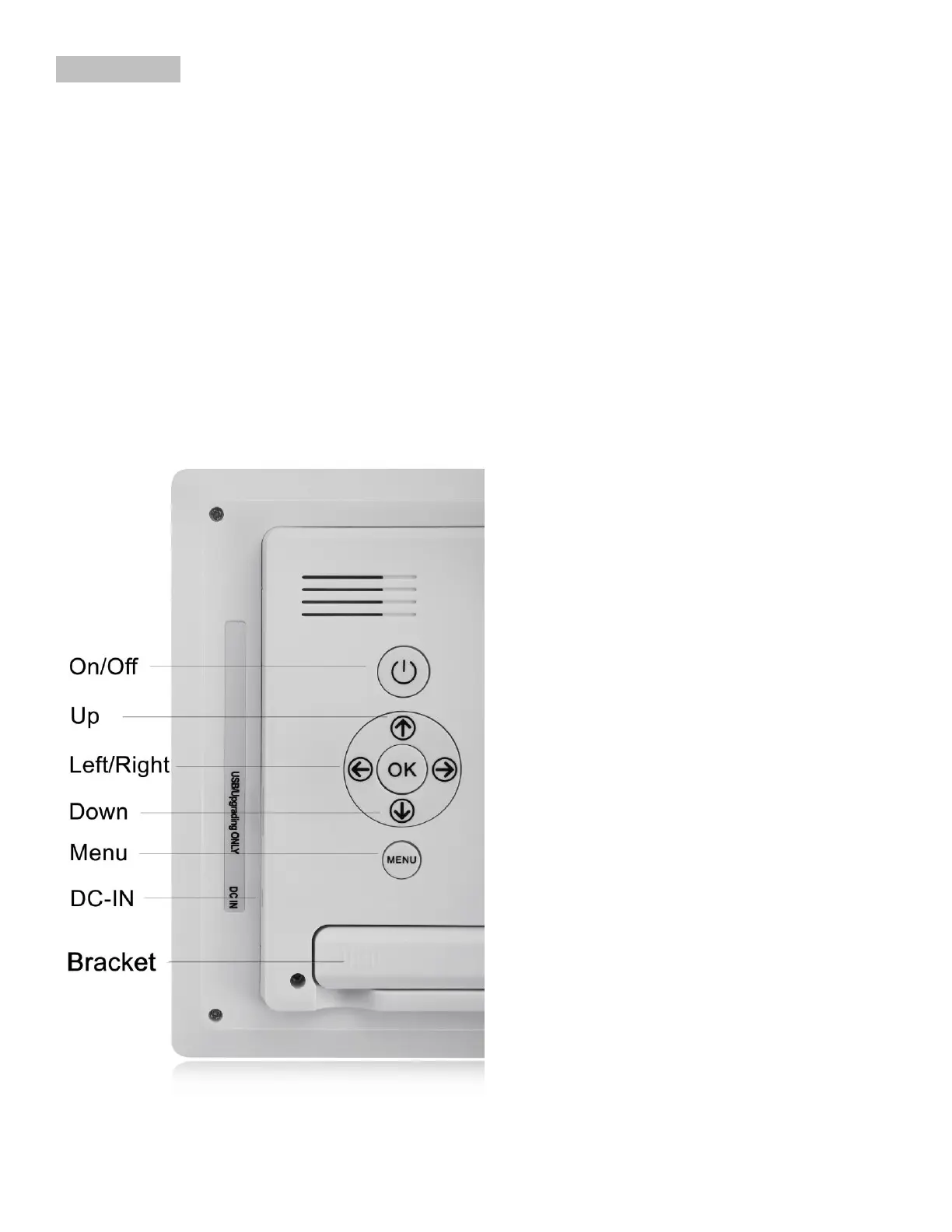
Plug the input connector of the AC Adaptor into the DC-IN hole on the back of the device.
Plug in the clock and press the ON/OFF switch or just wait few seconds.
In 5 seconds the clock will display the exact time/day of the week/month and day cycle.
The clock can be used as a desk clock with adjustable bracket or wall mountable.
Now you may enjoy the SVINZ Alarm Day Clock Digital Calendar.


 To Next Page