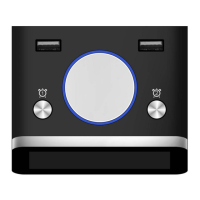
10. ALARM 2 SETTING: Press the MENU button to access the settings page. Press the DOWN
button to access the 10
th
line titled Alarm 2 Setting. Press the RIGHT/LEFT button to select
the field to be modified. When the field is underlined with blue, use the UP/DOWN button
to adjust the number. After the changes are complete, press the OK button to save the
settings. Press the DOWN button to access alarm 2 frequency settings.
11. ALARM 2 FREQUENCY: Press the DOWN button to access the 11
th
line titled Alarm 2
Frequency. Press the RIGHT/LEFT button to switch between: Off, Once, Everyday, Mon. to
Fri, Weekend. Press the MENU button to go back to the main display or press the
UP/DOWN button to access other settings. PLEASE NOTE: The alarm will ring for 60
seconds and then go off on its own, or you can manually stop it by pressing any button in
the back of the clock.
12. ALARM 3 SETTING: Press the MENU button to access the settings page. Press the DOWN
button to access the 12
th
line titled Alarm 3 Setting. Press the RIGHT/LEFT button to select
the field to be modified. When the field is underlined with blue, use the UP/DOWN button
to adjust the number. After the changes are complete, press the OK button to save the
settings. Press the DOWN button to access alarm 2 frequency settings.
13. ALARM 3 FREQUENCY: Press the DOWN button to access the 13
th
line titled Alarm 3
Frequency. Press the RIGHT/LEFT button to switch between: Off, Once, Everyday, Mon. to
Fri, Weekend. Press the MENU button to go back to the main display or press the
UP/DOWN button to access other settings. PLEASE NOTE: The alarm will ring for 60
seconds and then go off on its own, or you can manually stop it by pressing any button in
the back of the clock.
IMPORTANT & WARRANTY
The SVINZ Alarm Day Clock Digital Calendar SDC008 is packaged with a thin anti-scratch screen
protector. Please feel free to peel it off using the pull-up tab. Please be sure not to apply
pressure to the high quality non-reflective LED screen.
The SVINZ Alarm Day Clock Digital Calendar SDC008 is pre-set to Eastern Time. It has a small
internal watch-type battery that maintains time, even when the clock is unplugged or during a
power outage. If you receive the clock in another time zone (e.g. Pacific, Mountain or Central)
you will have to adjust the time by using these instructions.
The SVINZ Alarm Day Clock Digital Calendar SDC008 has an Auto Switch-On Facility when
connected to the power supply. To power the clock off or back on, press and hold the On/Off
button for a few seconds.


 To Next Page
 Loading...