Need help?
Do you have a question about the Svive Halo S650 and is the answer not in the manual?
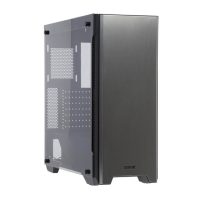
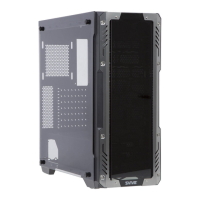
Detailed specifications including dimensions, materials, motherboard support, and cooling compatibility.
Labeled diagram identifying all major components of the computer chassis.
Identification and function of the front panel's power, USB, and audio ports.
Step-by-step instructions for safely removing and installing side panels.
Guide for securely mounting the power supply unit within the chassis.
Instructions for aligning and securing the motherboard with pre-installed spacers.
Procedures for installing 3.5" HDDs and 2.5" SSDs using provided brackets.
Instructions for disassembling and reassembling the bottom dust filter for cleaning.
Details on supported fan sizes and liquid cooling radiator placements.
Guide to connecting and controlling RGB components via the dedicated controller.
 General
| Model | Halo S650 |
|---|---|
| Case Type | Mid Tower |
| Color | Black |
| Material | Steel, Tempered Glass |
| Motherboard Support | ATX, Micro-ATX, Mini-ITX |
| Expansion Slots | 7 |
| Drive Bays | 2 x 3.5", 2 x 2.5" |
| Front Ports | 2 x USB 3.0, 1 x USB 2.0, Audio In/Out |
| Max CPU Cooler Height | 160mm |
| Power Supply Support | ATX |
| Side Panel | Tempered Glass |
| Cooling | Front: 3 x 120mm, Rear: 1 x 120mm, Top: 2 x 120mm |
| Radiator Support | Front: 240mm, Top: 240mm, Rear: 120mm |

 To Next Page