EasyManua.ls Logo

Svive LUNA X750 - User Manual

Svive LUNA X750
8 pages
Print Icon
To Next Page IconTo Next Page
Loading...
X750
LUNA
CHASSIS
TEMPERED
GLASS
PSU
SHROUD
RADIATOR
SUPPORT
ALUMINIUM
DESIGN
Question and Answer IconNeed help?

Do you have a question about the Svive LUNA X750 and is the answer not in the manual?

Summary

Specifications

Product Highlights

Remove Side Cover

3.5; 2.5 Devices Installation

Install 3.5 HDD

Steps to install a 3.5-inch HDD using the converter bracket and drive bay.

Install 2.5 SSD

Procedure for mounting a 2.5-inch SSD on its tray and bay area.

Install Power Supply

Install Mainboard

Install PCI Device

Remove Front Panel

Install Fan

Cable Connection Guide

USB 2.0 and USB 3.0 Connectors

Pinout details and connection guidance for USB 2.0 and USB 3.0 front panel headers.

Audio and I;O Port Connections

Instructions for connecting HD Audio, AC'97, and other I/O ports to the motherboard.

Accessory Kit Components

Overview of included mounting hardware, screws, standoffs, and cable management accessories.
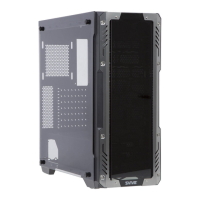
Svive LUNA X750 Specifications

General IconGeneral
BrandSvive
ModelLUNA X750
CategoryChassis
LanguageEnglish

Related product manuals