USB Interface installation 108498 - 05/16 4
Install the USB Interface
To install the USB interface proceed as follows:
1. Switch power off.
Depending on your application stop operation according to chapter Stop of Opera-
tion for Maintenance in the manual.
2. Open the transmitter housing.
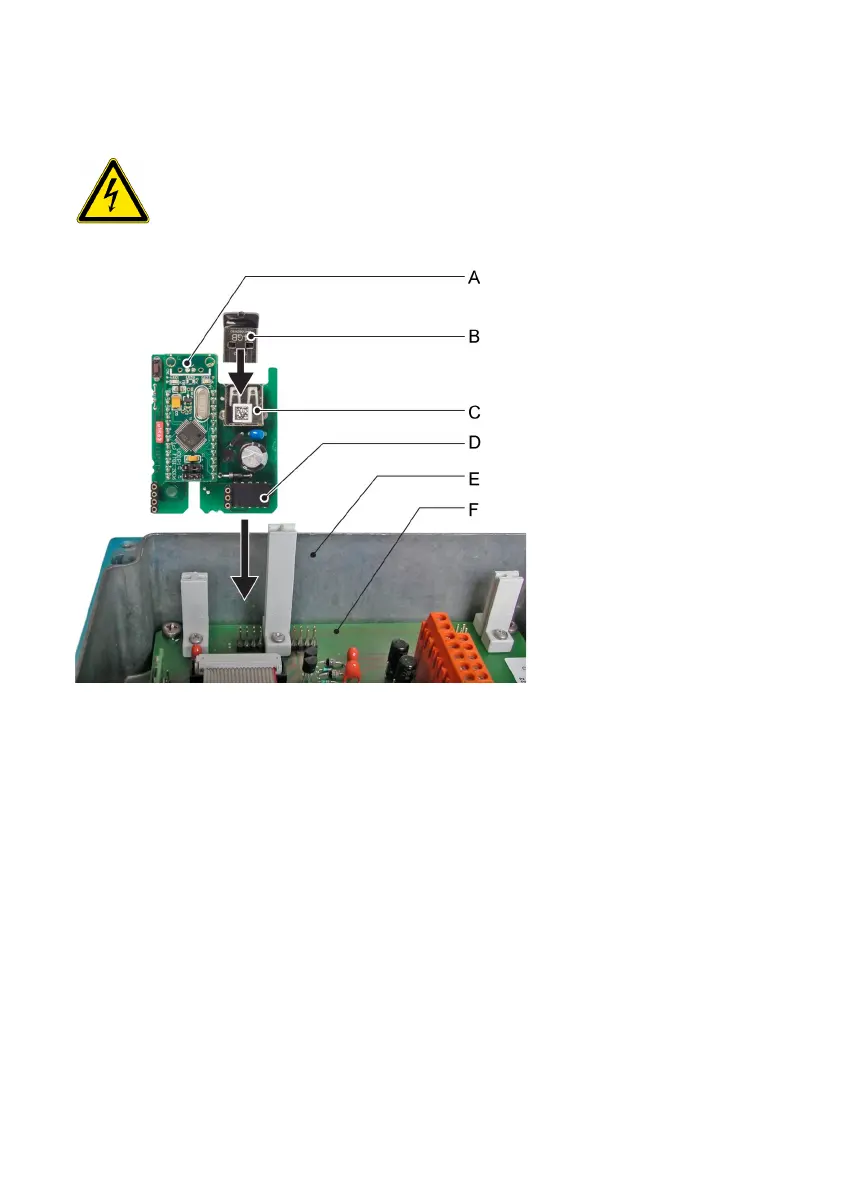
3. Insert the USB interface with the plug [D] facing towards the mainboard [F] into the
slot.
4. Insert the USB stick [B] into the USB socket [C].
5. Close the transmitter housing.
6. Switch power on.
The USB stick is recognized automatically.
A USB interface
B USB stick
C USB socket
D Plug
E Transmitter housing
F Mainboard
WARNING!
Electrical shock hazard
Before opening the AMI Transmitter switch power off.


 To Next Page