3
EN
FOURTIFY OVERVIEW
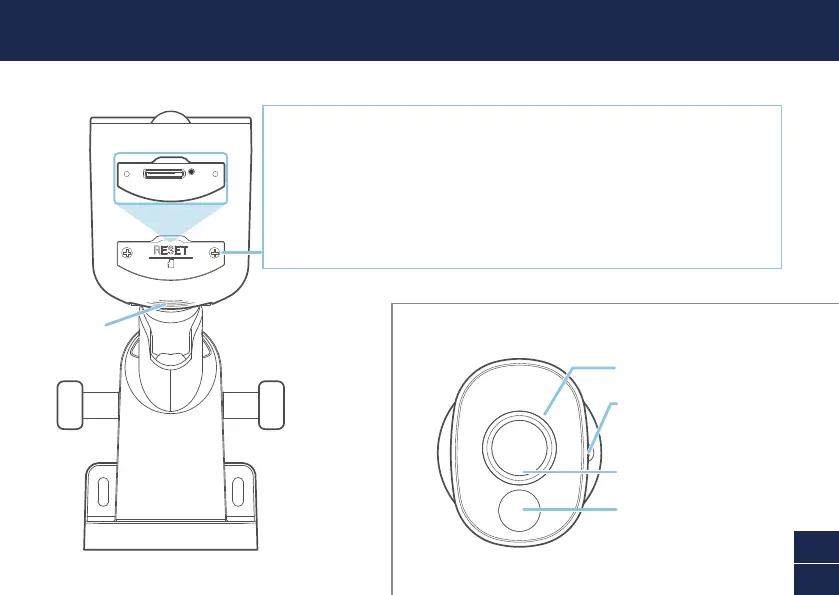
Remove port cover screws to access:
• MicroSD Card Slot
64GB card pre-installed, Max. 256GB card supported
• Reset Button
– Press and hold for 5 seconds to enter pairing mode
– Press and hold for 10 seconds to restore camera settings to factory defaults.
The installed microSD card will also be formatted.
Passive infrared
motion sensor
Night detection sensor
Mounting base screw hole
(x3)
IR LEDs (for night vision)
Speaker
Bottom view
Expansion Camera (PRO-1080MSX)



 To Next Page