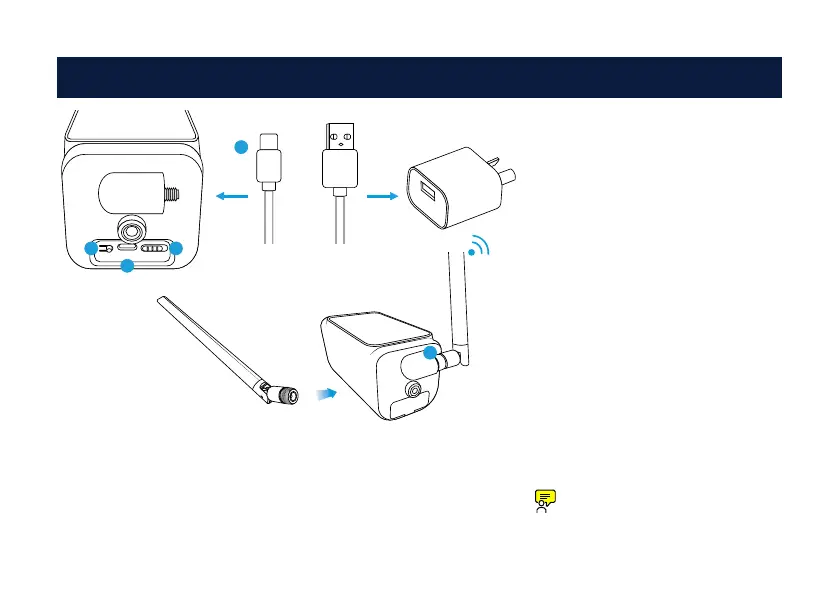
1. Charge the battery for three to four
hours using the USB-C cable provided
(USB power adapter not included).
When mounted, the camera’s solar
panel will charge the battery.
2. Connect the supplied antenna to
the camera’s antenna connection.
Turn the antenna base clockwise to
connect (make sure it’s firm, but don’t
overtighten). Leave the antenna in a
vertical position for best reception.
When finished, turn the camera on.
The camera will automatically pair
with your NVR. Remove the plastic
film from the camera’s lens.
If the camera hasn’t paired,
follow the instructions in step 3.
Charging the Battery2
1
SET TYPE-C OFF ON
A
B
C
2
Pull the rubber cover gently to access:
A. Press and hold the pair button to pair to your NVR.
B. USB-C connection to charge the battery.
C. Turn the camera on or off.



 To Next Page