Need help?
Do you have a question about the Swann NHD-805 and is the answer not in the manual?
Details warranty terms and conditions for the product.
States compliance with FCC rules for digital devices and potential interference.
Crucial safety guidelines for product installation and operation.
Component that allows the camera to be mounted on a wall or ceiling.
Enclosure containing the camera's main circuitry and electronic components.
Infrared LEDs used to illuminate targeted areas in darkness for night vision.
Detects ambient light to activate IR LEDs for night vision.
Specifies the default username and password for accessing the camera.
Step-by-step guide for physically connecting the camera to the NVR.
Essential advice for proper and durable network cable connections, especially outdoors.
Considerations for selecting the optimal placement for the camera.
Practical advice and best practices for camera placement and visibility.
Detailed steps for physically mounting the camera onto various surfaces.
Instructions on how to adjust the camera's physical viewing angle.
Guide to displaying the camera feed on the Swann NVR interface.
How to access and view the camera feed using Swann's PC software.
Customizing camera image parameters via the NVR menu.
Procedure to reset the camera to its factory default settings.
Solutions for common problems like NVR detection and night vision.
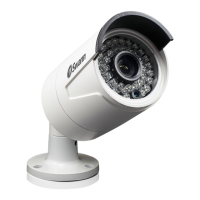
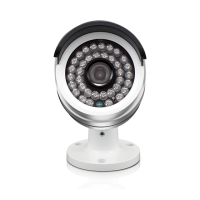
The Swann NHD-805 is a 720p Network Video Camera designed for use with Swann 720p NVRs, providing a comprehensive solution for home and business security monitoring. This camera delivers clear high-definition images and videos in both day and nighttime conditions, even in complete darkness, making it a versatile addition to any Swann NVR monitoring setup.
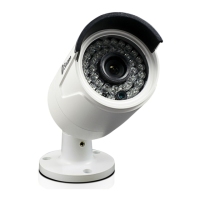
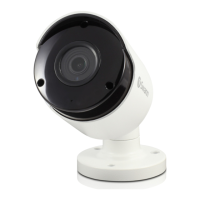
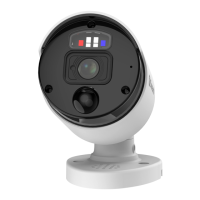
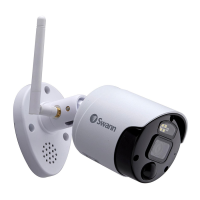
The NHD-805 is a security camera that captures video at 720p resolution. It is equipped with infrared (IR) LEDs for night vision, allowing it to record in low-light or no-light environments. An illumination sensor detects ambient light levels and automatically activates the IR LEDs when necessary. The camera is designed to be weatherproof, suitable for both indoor and outdoor installations. Its integrated 3-axis mounting bracket offers flexible positioning on walls or ceilings. The camera connects to a Swann NVR via an Ethernet cable, and once connected, it is automatically detected and assigned an IP address by the NVR. Users can view the camera's feed and configure its settings through the NVR's interface or via the SwannView Link PC software.
 General
| Brand | Swann |
|---|---|
| Model | NHD-805 |
| Category | Security Camera |
| Language | English |

 To Next Page