EasyManua.ls Logo

Swann PRO-530 - User Manual

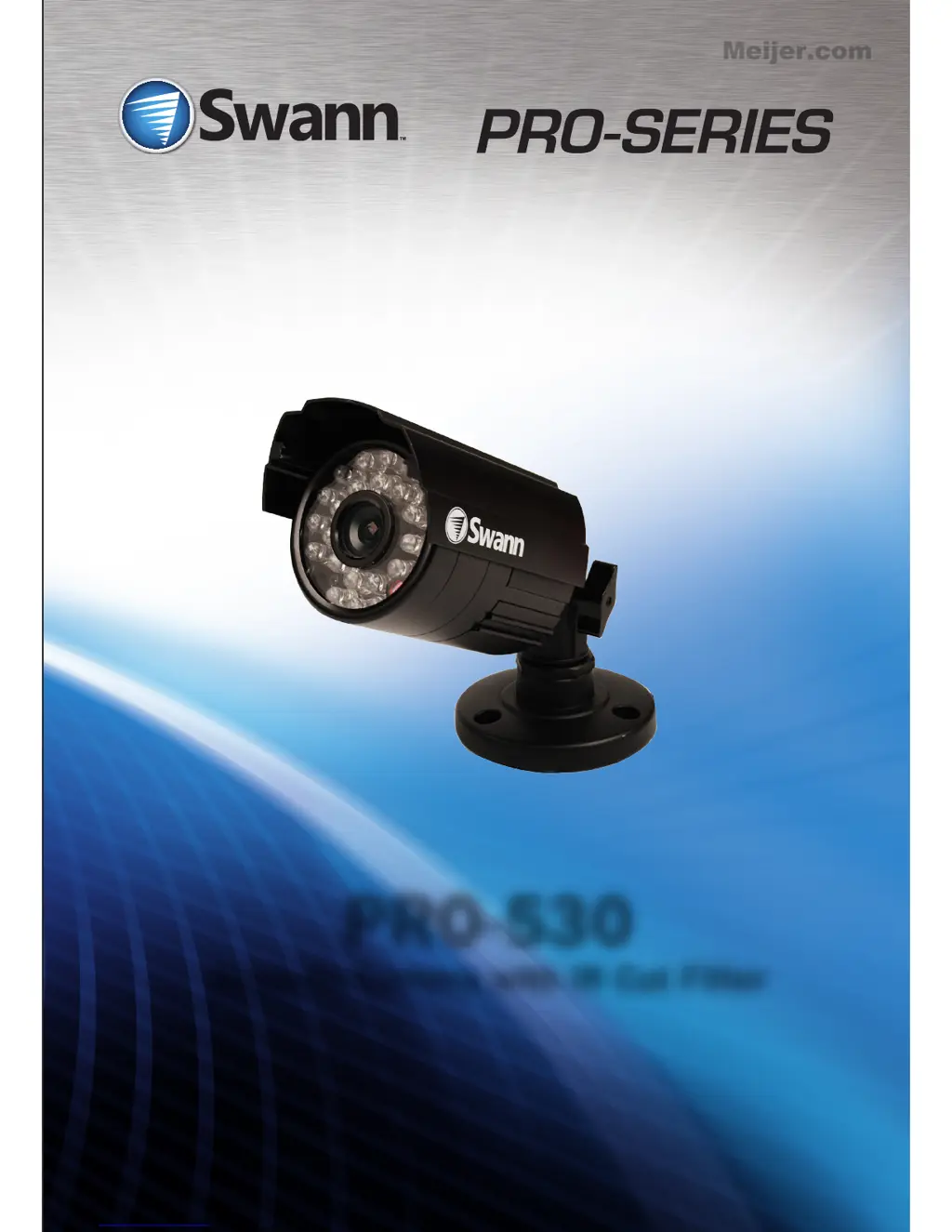
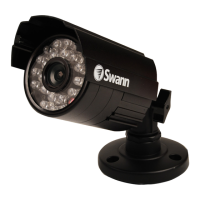
Swann PRO-530
24 pages
Print Icon
To Next Page IconTo Next Page
Loading...
PRO-530
Security Camera with IR Cut Filter
M530CAM070312T
Meijer.com

Other manuals for Swann PRO-530

Questions and Answers

  • P
    patriciawashingtonJul 26, 2025
    What to do if Swann PRO-530 shows ‘Video Loss’?
    • W
      wchandlerJul 27, 2025
      If your Swann DVR displays ‘Video Loss’ instead of the camera image, ensure the extension cable (both power and video) is securely connected to the camera. Also, verify that the video output from the camera is securely connected to a video input channel on the DVR, and that the camera's power is securely connected to a power supply.
  • R
    rtranAug 6, 2025
    Why does my Swann Security Camera only show a bright spot at night?
    • T
      teresawilliamsAug 6, 2025
      If you're seeing only a bright spot and no image from your Swann security camera at night, it might be due to a reflection when the camera is in night vision mode and looking through a window. Try moving the camera to the other side of the window or to a different location entirely.
  • E
    Elizabeth KleinAug 15, 2025
    How to connect Swann PRO-530 BNC extension cable to TV?
    • W
      walkeramyAug 15, 2025
      If the BNC extension cable from your Swann security camera won't connect to your TV, it's likely because many TVs don't have a BNC connector. Use a BNC to RCA adapter to connect the extension cable to the RCA socket on your TV or monitor.

Summary

PRO-530 Security Camera Overview

Getting Started with PRO-530

Introduction to PRO-530 Features

Explains the PRO-530's sensitivity to light and its IR Cut Filter feature.

PRO-530 Package Contents

PRO-530 Connection Guide

Connecting PRO-530 Directly to TV

Instructions for connecting the camera directly to a TV or VCR.

Connecting PRO-530 to a Single Power Adapter

Guides for connecting the camera to a power adapter for single camera setups.

Connecting PRO-530 in a 4 Camera Pack

Instructions for connecting cameras in a 4-camera pack using a power splitter.

Connecting PRO-530 to an Existing DVR

Steps to connect the camera's BNC cable to an open channel on a DVR.

PRO-530 Mounting and Troubleshooting

PRO-530 Camera Stand Adjustment

Details on using the three articulation points to position and aim the camera.

PRO-530 Troubleshooting Common Issues

Solutions for common issues like 'Video Loss' or poor night vision.

PRO-530 Support and Warranty

PRO-530 Technical Support Contacts

Phone numbers and email for customer support and technical assistance.

PRO-530 Limited Warranty Information

Details on the product's one-year warranty, limitations, and user responsibilities.

PRO-530 FCC Compliance Statement

Compliance information regarding radio frequency energy and potential interference.

Swann PRO-530 Specifications

General IconGeneral
Maximum resolution728 x 488 pixels
Number of TV lines600
Supported video modes-
Analog signal format systemNTSC, PAL
White balanceAuto
Camera shutter typeElectronic
Camera shutter speed1/100000 s
Minimum illumination0 lx
Field of view (FOV) angle58 °
Optical sensor size1/3 \
Optical zoom- x
Lens diameter4.8 mm
LED typeIR
Infra-red LEDs life10000 h
Infra-red wavelength850 nm
Night vision distance20 m
Number of illumination LEDs24
Placement supportedIndoor & outdoor
Connectivity technologyWired
Mounting typeCeiling
Product colorBlack
Housing materialAluminum
International Protection (IP) codeIP67
InterfaceBNC
Signal-to-Noise Ratio (SNR)45 dB
Ethernet LANNo
DC output voltage+12V
Cables includedBNC, RCA
Operating temperature (T-T)-10 - 60 °C
Weight and Dimensions IconWeight and Dimensions
Depth145 mm
Width65 mm
Weight253 g
Cable length18 m

Related product manuals