7
EN
Have questions?
Visit our Support Center at support.swann.com. You can register your product for dedicated technical
support, find troubleshooting articles, and more. Or email us at any time via: tech@swann.com
HELP AND RESOURCES
Motion detection
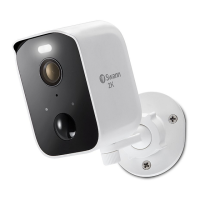
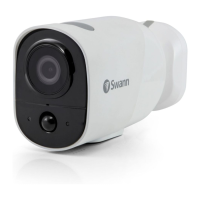
The camera’s PIR motion sensor detects heat signatures of moving objects. You’ll generally get good
detection results by pointing the camera downwards at an angle where people will be moving across
the coverage area before heading directly towards the camera. You can turn motion detection on or off,
as well as adjust the sensitivity using the Swann Security app.
LED indicator guide
The LED light on the front of your camera helps inform you of what is happening with the device.
Swann Security app manual
While using the Swann Security app, you can access the Swann Security app manual (Menu
> User
Manual) at any time to learn more about using the app to view live video, playback event clips as well
as customize various camera settings including camera name, sleep period, and motion sensitivity.
Rebooting the camera
On rare occasions, it might be necessary to reboot your camera if it becomes unresponsive. A simple
reboot can also fix connectivity issues quickly. Using a paper clip, press and release the Reset button.
This powers off the camera. Then briefly press the SET button (for 1 second) to reboot the camera.
Solid Blue USB Charging
Solid Red Live streaming / Motion recording
Slow Blinking Blue Wi-Fi Pairing mode
Fast Blinking Blue Connecting to Wi-Fi
Infrared LEDs Blinking Firmware update in progress


 To Next Page