FIRST STEPS
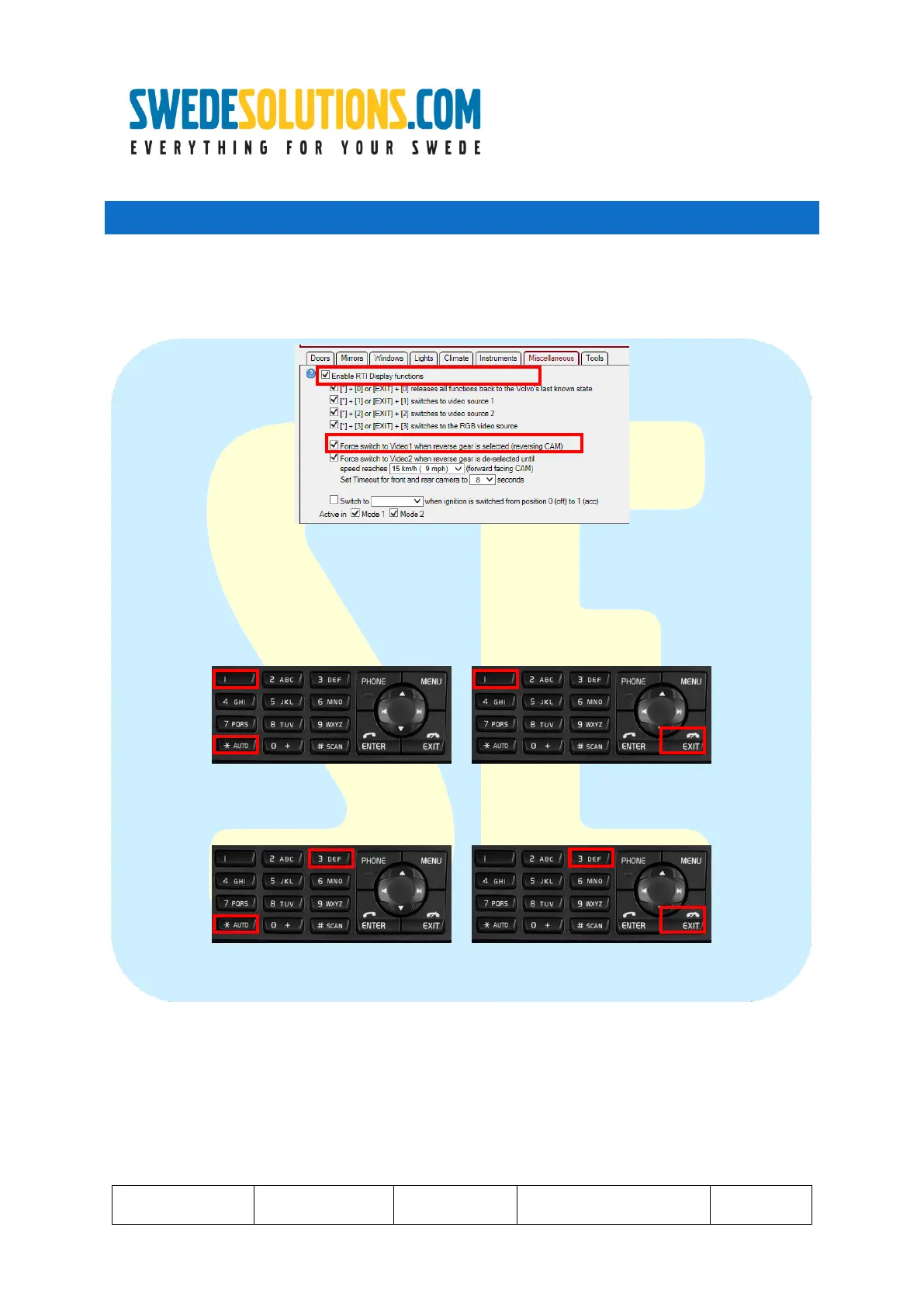
First make sure the CFE Plus is configured with the options for controls of the HLDF/ICM/IHU (Display func-
tions) are enabled according to your requirement.
Please note that a BETA version of the CFE Plus firmware might be required to enable latest supported func-
tions! (Note that the example given below is subject to change / look different!)
For P3 2007-2011 with HLDF (popup navigation):
Connect the CFE Plus to your Volvo as you would do normally , make sure initialization is finished and then
press [* Auto] and at the same time button [1] (or alternatively [EXIT] and at the same time [1]. The HLDF
should switch over from displaying the RTI navigation to the video-1 source (nothing connected to that source
yet), which should result in a dark black screen. (Backlight might be visible).
or
Pressing [*] and at the same time button [3] (or alternatively [EXIT] and at the same time button [3] should
make the HLDF switch over back to the RTI navigation.
or
If that works as explained, all is setup right in the CFE Plus and you can continue the installation.
For P3 / V40 2011-2018 with Sensus and Sensus-connect a manual switchover to a video source can be done
using the button on the central stack where ‘normally’ the “CAM” button would be. This differs per model /
model type. Note; if enabled during drive; a message might appear that camera is not available during drive
(Speed > 7km/h). The message will disappear automatically after a second or 2. Reverse camera is automati-



 To Next Page