ENglISH VErSIoN
3
Connecting to the Bluetooth device.
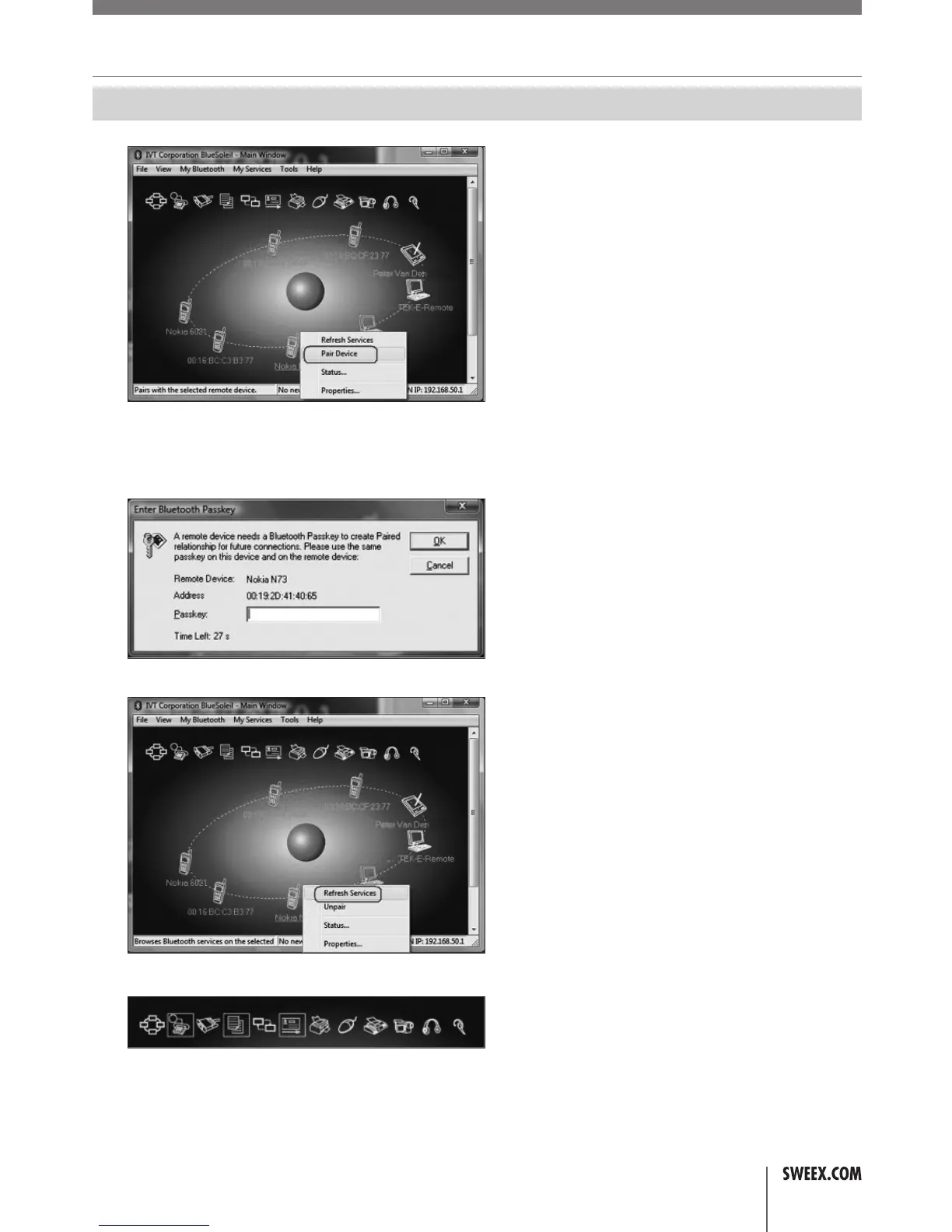
1. PresstheorangesuninthewindowtosearchfornearbyBluetoothdevices.
2. Selectyourdevice,rightclickit,andchoose“PairDevice”.
3. Entera4-digitcodetosecuretheconnection.Itcanbe0000.Press“OK”andenterthesamecodeinyourBluetoothdevice.
4. Aredcheckmarkappearsattheconnecteddevice.Rightclickagainandchoose“RefreshServices”.
5. TheavailableservicesforthisBluetoothdevicearemarkedwithyellow.
6. Whenyoupressthe“BluetoothFileTransferService”awindowappearswhereyoucanexchangefileswithyourBluetoothdevice.


 To Next Page