English version
6
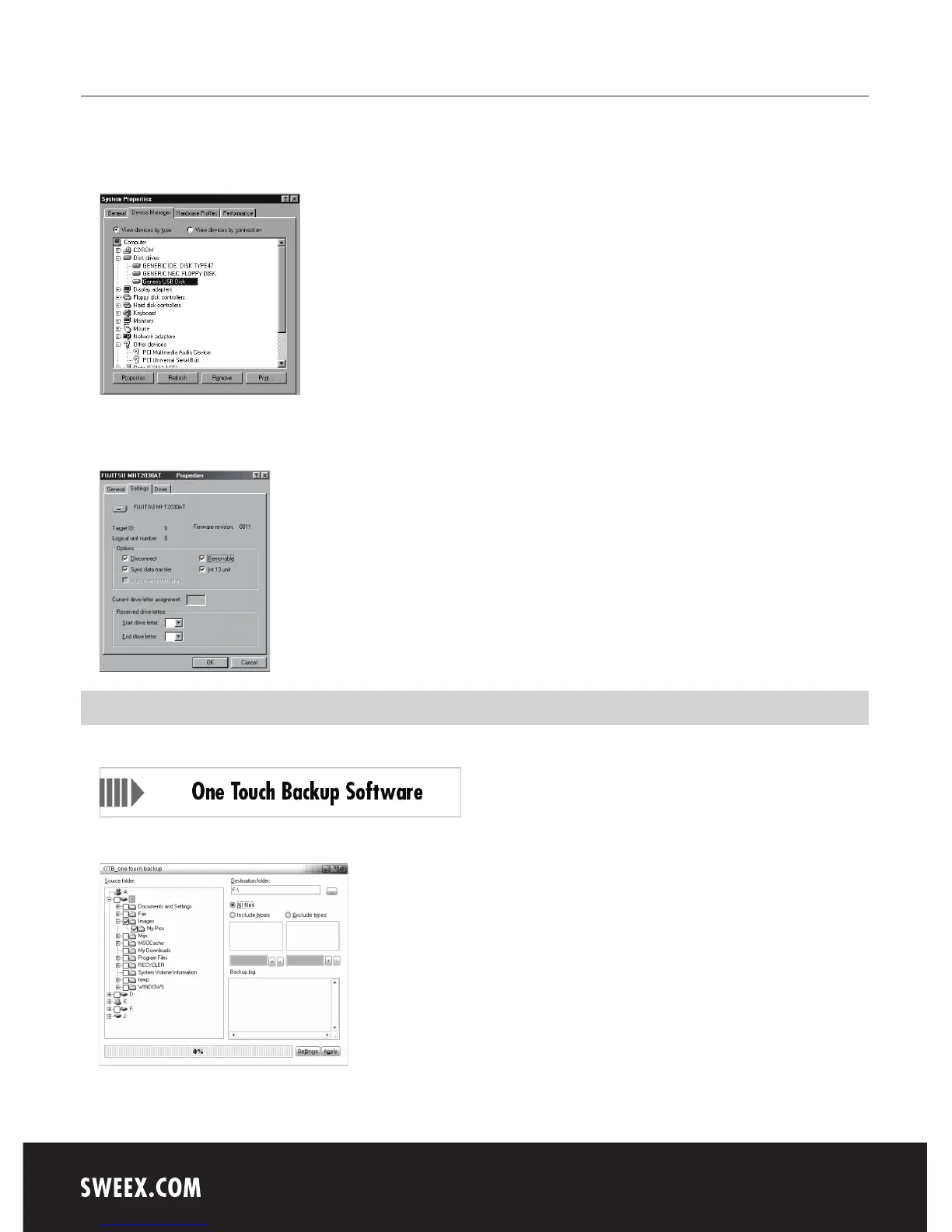
4. Right-click it and select “Properties” (Properties).
5. Go to the tab entitled “Settings” (Settings) and tick “Removable” (Removable).
6. Click “OK” to save the settings.
7. The disk now shows as a removable hard disk under “My Computer” (My Computer).
One Touch Back-up (OTB)
If you wish to use the One Touch Back-up function, put the Sweex CD-ROM in the CD-ROM player and click on "One Touch Back-up Software”.
Following installation, start the programme from your “Start” menu.
1. Under “Source folder:” select the folders you wish to add to the back-up procedure.
2. Under “Destination folder:” select the location where the files will be stored.


 To Next Page
 Loading...