ELECTRICAL SYSTEMS
72
SWIFT COMMAND POWER CONTROL SYSTEM
2.17 Bluetooth Pairing & Other Controls
The EC800 control panel can display the
software version number of the Control Panel,
the PSU and the communicator / tracking unit.
Press the settings button to view the setting
screen which contains the related information.
The Bluetooth pairing process is covered
below. Further help with Bluetooth pairing is
available in the form of a help video which
can be viewed on the Sargent website in the
Support Information section.
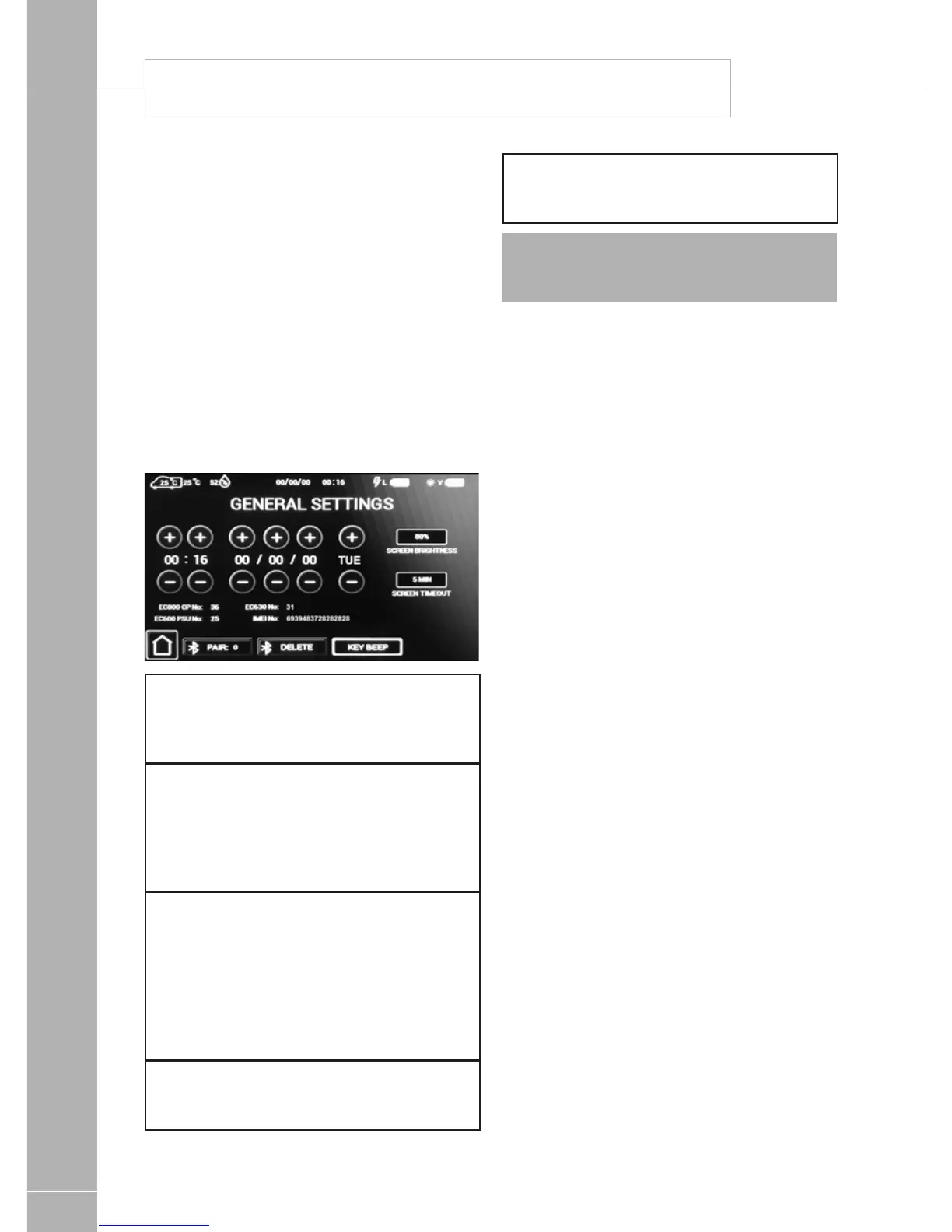
General settings screen
Here you can set the date & time, screen
brightness and screen on time.
Time, Date & Day
Press the (+) or (-) buttons above or below
each item to adjust the value. Note that the
system uses the 24 hour clock.
Screen settings
Press on the screen brightness button to
adjust the screen backlight level. Press on
the screen timeout button to select the time
that the screen will stay illuminated for after a
press or touch.
Bluetooth Pair
Press the pair button to start pairing with
your compatible Bluetooth device. The pair
button border will illuminate when pairing is
active. You can now pair your device to the
system following the devices instructions.
Pairing remains active for 1 minute and is
then turned off automatically.
Bluetooth Delete
Press the delete button to delete any
Bluetooth pairings from the system.
Key Beep
Use the key beep button to turn on / off the
beep sound when a button is pressed.
Note: Setting changes are saved when you
press the home button to return to the main
screen.
2.18 Electric Step Operation
On vehicles fitted with an electric step, this
is operated by a button near the entry door.
Press and release the button to move the step
in or out. One press of the button will move the
step out; a further press will move the step in
again.
If the engine is started the step will move in
automatically, after a short warning buzzer. If
this operation fails due to an obstacle a buzzer
will sound continuously to warn that the step is
still out, and therefore requires your attention.







 To Next Page