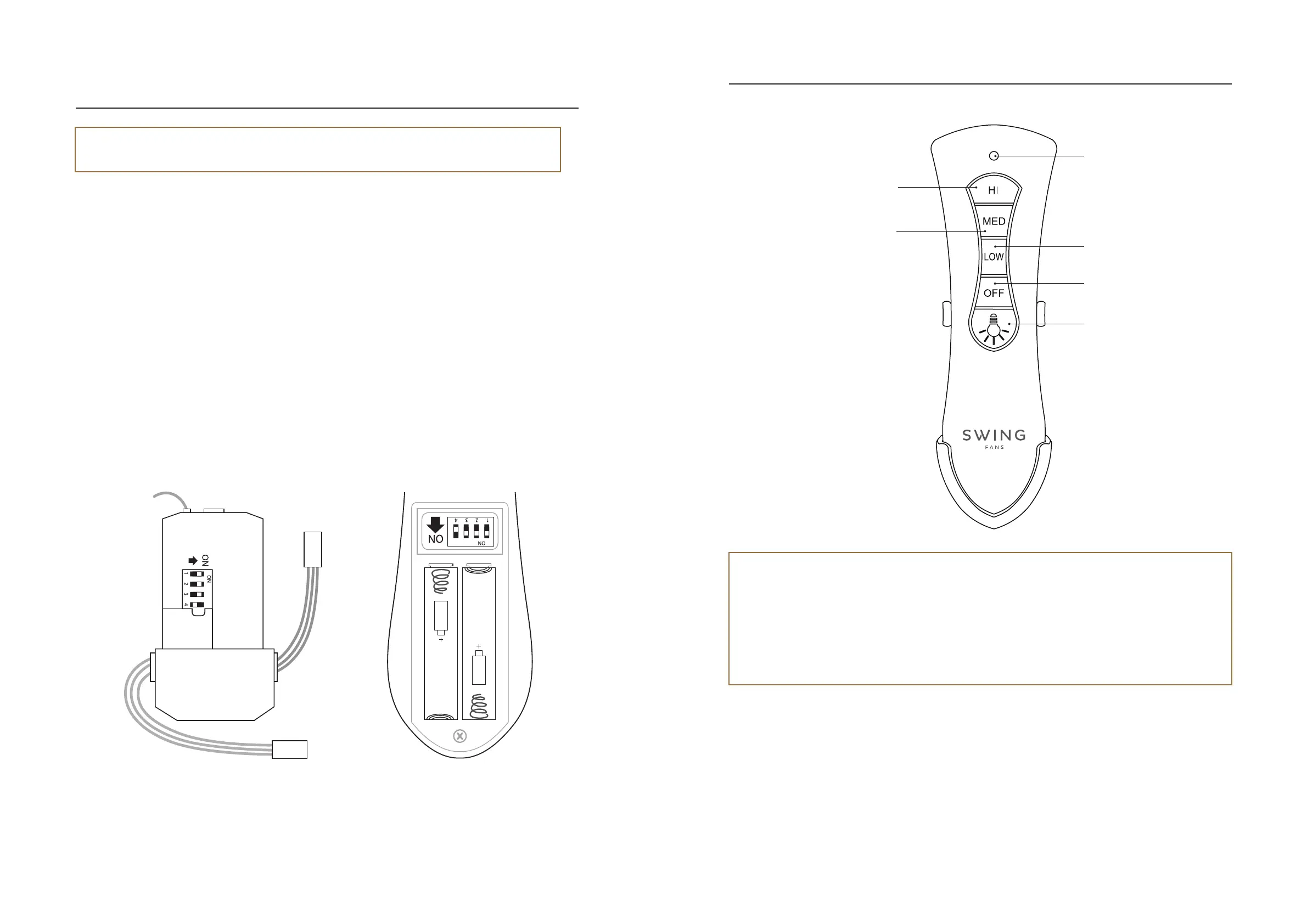
Attention! It is required to select a unique frequency value on the remote control for each of the fans.
This is to prevent frequency disruption and interference between the fans.
- Switch off the electricity supply to the fan by turning off the wall switch.
- Open the battery cover located on the back of the remote control.
- Select a unique frequency on the remote control by moving the frequency pins on the back of the remote
control.
- Close the battery cover.
- On the receiver open the black rubber cover and match the frequency that was set on the remote control by
moving the frequency pins.
- Insert the black rubber cover and place the receiver in the hanger bracket and close the ceiling cover.
- Switch back on the electricity supply to the fan.
Setting up the remote control
(If a remote is used and more than one ceiling fan is installed)
Remote controlReceiver
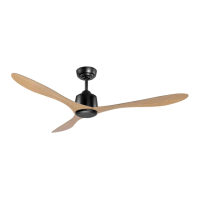
Functions and operation of the remote control
Attention!
- The remote control operates wirelessly and must be within a range of up to 8 metres from the fan.
- When changing functions, wait patiently for a few seconds for the fan to receive the transmission and perform
the operation, especially after changing the rotation direction of the blades.
- The remote control comes with a dedicated wall holder which can be installed using two screws.
- The indicator lights are not lit permanently, but are lit for one second, and then go off.
Switching the fan off
Switching the
light on or off
Set fan speed
to medium
Set fan speed to low
LED indicator
Set fan speed to high
13
SWING MARBLE
Fan Installation Instructions | Version 1.22
12


 To Next Page