5
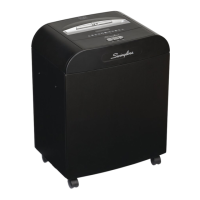
Swingline Stack-and Shred™ 750X Shredding Capability
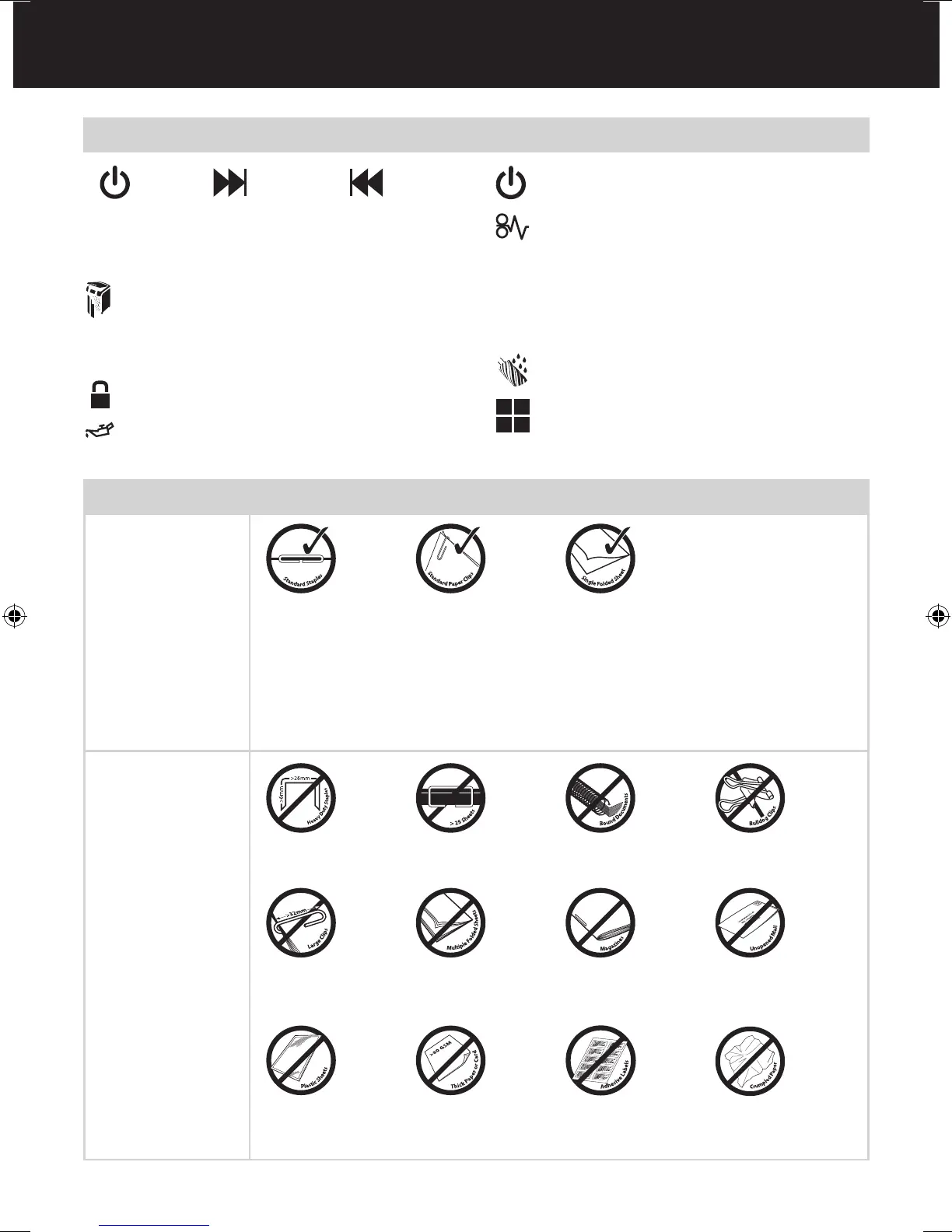
Stack-and-Shred
750X CAN shred the
following:
Stack-and-Shred
750X CANNOT shred
the following:
Although the Stack-
and-Shred 750X will
accept fastened sheets,
Swingline recommends
that staples and paper
clips are removed and
folded paper un-folded
prior to shredding to
extend the life of the
product.
• Stapled paper
1inch/25mm within the corner
• 26/6 and 24/6 or smaller
staples
• Small sized paper loaded
centrally
• 750 sheets color printing
• Paper clip paper
1inch/25mm within the corner
• Capable of shredding small/
medium (max wire thickness
= 0.9 mm) paper clips
• 750 sheets plain paper
• >27lb paper (through manual
feed slot ONLY)
• Tabloid (11 x 17”) folded in
half max. 2 sheets
• 750 sheets single sided
printed paper
• 20lb paper
- Letter - 8.5 x 11”
- Tabloid single sheet folded
in half to make Letter
• Heavy Duty Staples. Check the
staple leg length is not greater
than 1/4”.
• A document with more than
25 sheets held together by a
staple or clip.
• Bound documents • Bulldog clips
• Large clips. Check the length
of the paperclip is not longer
than 1.25”.
• Multiple folded sheets*
(e.g. Tabloid sheets folded
in half).
• Magazines or other documents
bound by multiple staples
or clips
• Unopened mail*
* We recommend you feed these types of documents through the manual feed slot. However, the Stack-
and-Shred 750X can automatically shred folded and crumpled sheets if attened out prior to loading.
• Plastic sheets, laminated
documents, plastic folders,
glossy paper or a sheet covered
with print on both sides.
• Thick paper or card* • Adhesive labels • Crumpled sheets*
Reverse
Continuous
Jam Boost
Auto
Control Panel and Indicators
Lock indicator – This means the paper loading door is
locked (during shredding).
Loading Door Locking Mechanism – PIN Password
Buttons – Enter a four digit code to lock the loading
door during shredding.
1
3
2
4
Oil level indicator
Oiling in Operation indicator
Power On indicator – This means the machine is
turned on.
Paper jam indicator – This means there is a paper jam
in the auto feed chamber.
If this symbol is ashing the shredder is attempting to
clear a paper jam automatically.
If this symbol is permanently illuminated red please
follow the instructions under ‘Rare Occasion of
Jamming’.
Paper Loading Door/Bin Door Open or Bin Full
indicator – This means either:
• Loading door is open
• Bin is open
• Bin is full
Jam Free indicator – This alerts the user when too
much paper is fed into the manual feed slot (see section
on Jam Free Technology).
U
C
This means no oil lubrication, use Swingline oil sheets only.


 To Next Page