2 English
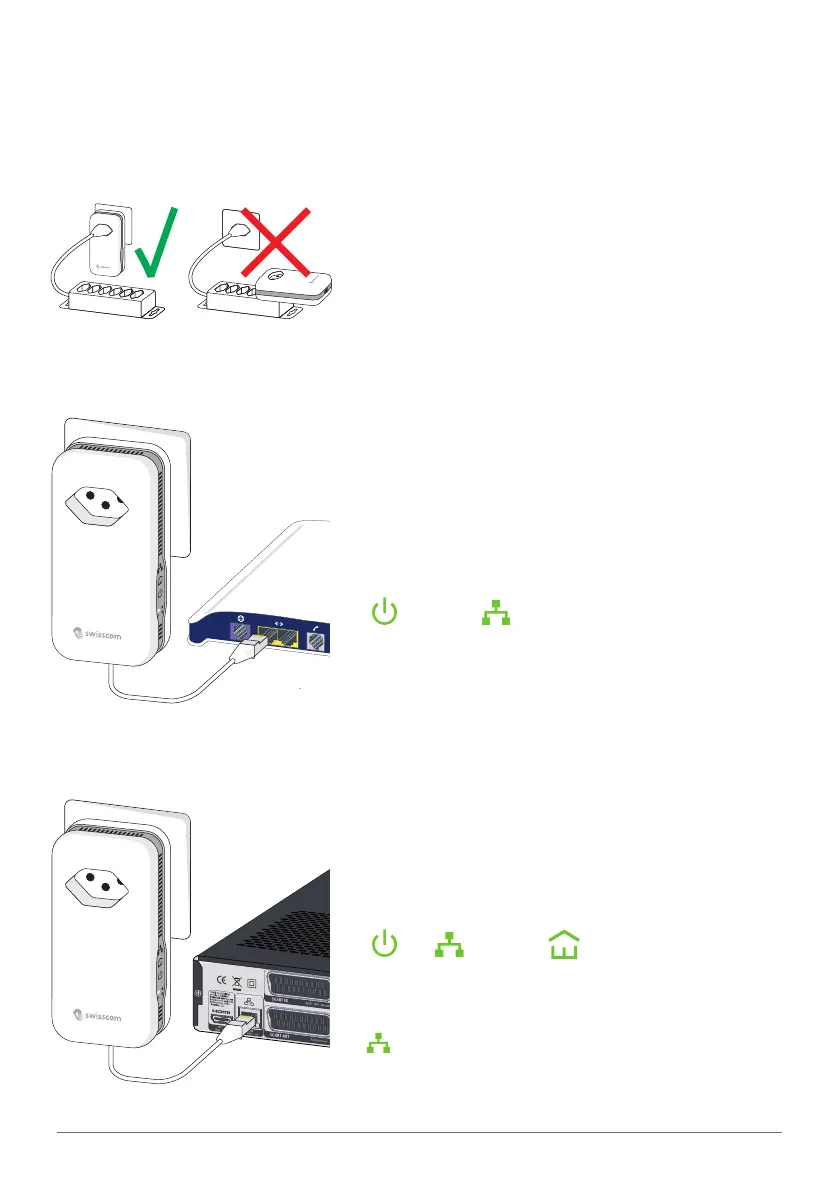
Connecting two Powerline adapters
1
Plug the Powerline adapter directly
into the wall power socket.
2
Plug the first Powerline adapter
to your DSL router using the
provided Ethernet cable.
«
» and « » light up in green.
(It is possible that the LEDs blink. This is not an error.)
3
Plug the second Powerline adapter
to your computer or your TV-Box.
«
», « » and « » light up in
green.
(If the computer or the TV-Box are not switched on,
«
» is not lit. It is possible that the LEDs blink. This is
not an error.)



 To Next Page