3English
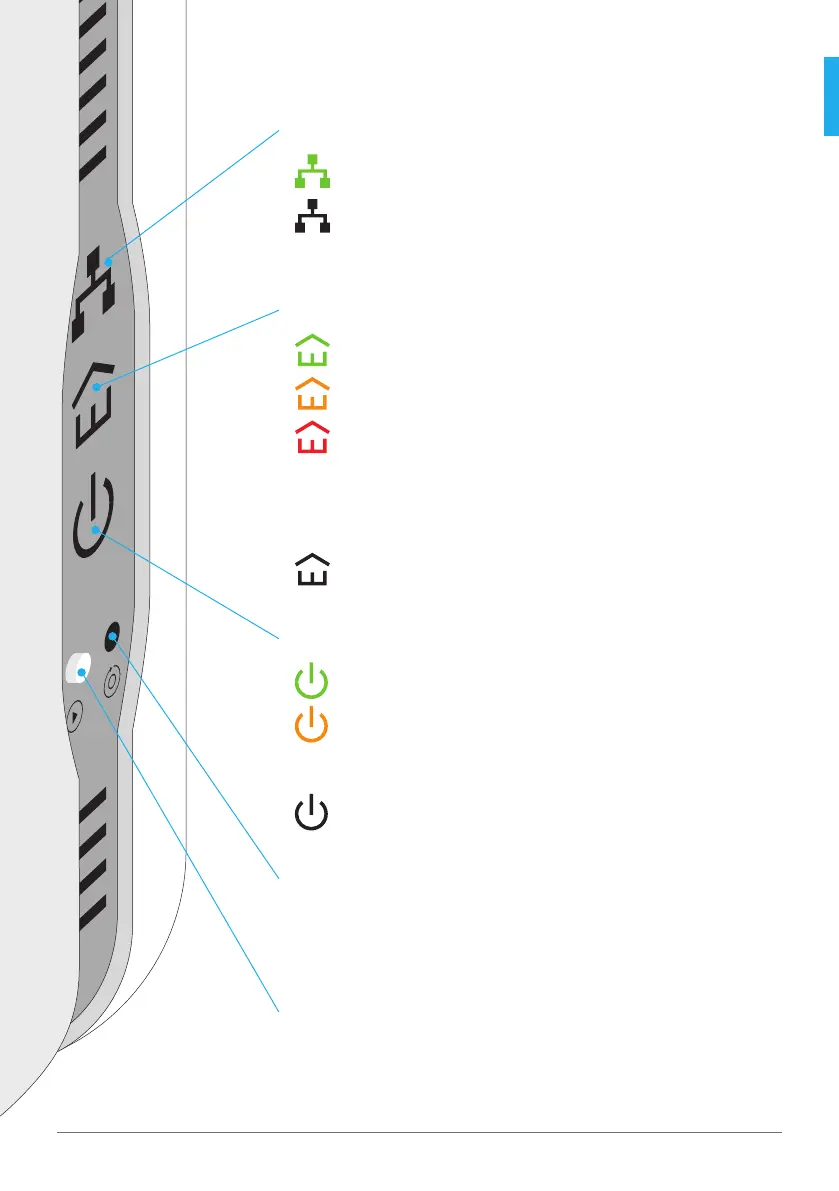
Ethernet connection
Everything is in order
Problem detected > Check that the cables are securely
connected to the corresponding Powerline adapter.
Powerline connection
Excellent connection
Good connection
Low connection > Always connect the Powerline
adapter directly to the wall electrical socket. If your
wall electrical socket allows for multiple devices to
be plugged in, make sure that the Powerline adapter
is the only device plugged in.
no connection
Power
Power on
Energy saving mode > The Powerline adapters
automatically switch off 15 minutes after the
connected devices are powered off .
Out of service
Reset Button
With this button you can reset your Powerline adapter to its initial
state. In order to do this, press the button for ca. two seconds and
release. All LEDs light up briefly in orange.
Pairing Button
This button allows you to add additional Powerline adapters to your
existing Powerline network.
Displays (LED) and buttons
English



 To Next Page