When operating the encoders, the corresponding value is shown in the display of the
keyboard. Turn the control clockwise to increase the displayed value or counterclock‐
wise to decrease the displayed value (value range: 0 … 127).
The LED on the six o'clock position of the encoder is lit when the control is in centre
position.
When operating the faders, the corresponding value is shown in the display of the
keyboard. Pull the fader up to increase the displayed value or pull it down to
decrease the displayed value (value range: 0 … 127).
The bottom LED of the LED chain of the faders is lit when the controller position does
not coincide with the corresponding DAW software setting.
Each time you press one of the function buttons [BANK] below the [MASTER]
fader, a shifting of eight channels to the left or right is effected.
You can use these buttons in user scenes to change the MIDI channel on which the
faders and rotary encoders send.
With the function buttons [TRACK] the active channels are being shifted to the
left or right with each keystroke.
In Toggle mode (‘T’), you can use these function buttons to trigger an ON command
(127) that is being cancelled with an OFF command (0) by pressing this button again.
In Momentary mode (‘M’), you can use these function buttons to trigger an ON com‐
mand (127) that is being cancelled with an OFF command (0) by releasing the
button.
The button function can be assigned in setup mode. When pressing the buttons, the
associated settings are shown in the display of the keyboard.
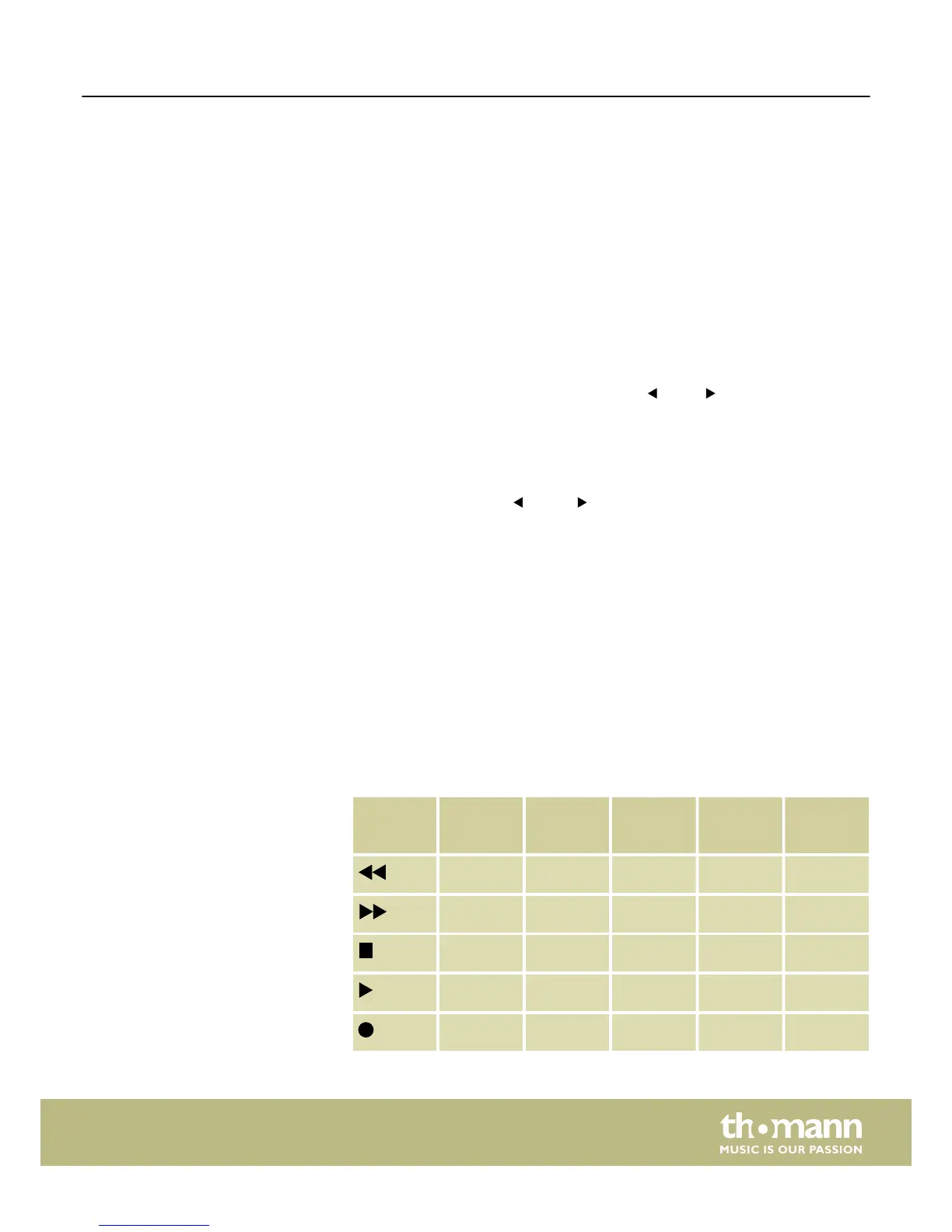
On delivery, the transport buttons are allocated with the default functions back, for‐
ward, stop, play and record. This allocation can be changed in setup mode.
Button Function Command Trans‐
mitted
data
Type Mode
back CC112, CH- B0 74 7F/00 C T
forward CC113, CH- B0 75 7F/00 C T
stop CC114, CH- B0 76 7F/00 C T
play CC115, CH- B0 77 7F/00 C T
Record CC116, CH- B0 72 7F/00 C T
Rotary encoder
Fader
Function buttons BANK
Function buttons TRACK
Function buttons A1 … A8, B1 … B8,
BTNE1 … BTNE8
Transport buttons
Functions
ControlKey 49, ControlKey 61, ControlKey 88
17


 To Next Page