EasyManua.ls Logo

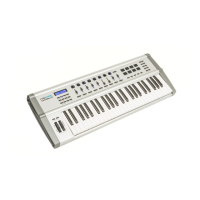
swissonic EasyKey 49 - User Manual

swissonic EasyKey 49
24 pages
Print Icon
To Next Page IconTo Next Page
Loading...
EasyKey 25, EasyKey 49, EasyKey 61
MIDI keyboard
user manual
Question and Answer IconNeed help?

Do you have a question about the swissonic EasyKey 49 and is the answer not in the manual?

Summary

General Information

Further Information

Details website resources like downloads, keyword search, online guides, and technical support.

Notational Conventions

Explains text and symbol conventions used in the manual for clarity and consistent understanding.

Symbols and Signal Words

Defines the meaning of DANGER!, NOTICE! signal words and warning signs used in the manual.

Safety Instructions

Intended Use and Safety Precautions

Specifies intended use and outlines safety measures for children, handling parts, and environmental conditions.

Product Features

Connections and Controls

Model Overview

Illustrates the front panel layout of the EasyKey 25, 49, and 61 models.

Operating Panel Details

Details the functions of controls on the operating panel, including modulation, pitchbend, octave, and encoder.

Rear Panel Connections

Describes rear panel connections: USB for power/data, MIDI OUT, and PEDAL socket.

Functional Operations

Keyboard Control Functions

Covers touch sensitivity, volume control, octave transposing, pitch bending, and modulation wheel.

MIDI Configuration and Presets

Guides on MIDI bank/channel assignment, programme change, storing, and loading presets.

Function Assignments and Resets

Details assigning functions to fader, pedal, encoder, and loading/saving presets.

System Resets

Covers panic function, MIDI reset command, and restoring factory default settings.

Troubleshooting

Common Issues and Solutions

Lists common problems like no power, no sound, wrong pitch, and their possible causes and solutions.

MIDI Implementation Chart

Understanding MIDI

Explains what MIDI is and how the keyboard uses USB and MIDI ports for data exchange.

Technical Specifications

Environmental Considerations

Disposal Guidelines

Provides guidance on recycling packaging materials and proper disposal of the old device according to WEEE.

Summary

General Information

Further Information

Details website resources like downloads, keyword search, online guides, and technical support.

Notational Conventions

Explains text and symbol conventions used in the manual for clarity and consistent understanding.

Symbols and Signal Words

Defines the meaning of DANGER!, NOTICE! signal words and warning signs used in the manual.

Safety Instructions

Intended Use and Safety Precautions

Specifies intended use and outlines safety measures for children, handling parts, and environmental conditions.

Product Features

Connections and Controls

Model Overview

Illustrates the front panel layout of the EasyKey 25, 49, and 61 models.

Operating Panel Details

Details the functions of controls on the operating panel, including modulation, pitchbend, octave, and encoder.

Rear Panel Connections

Describes rear panel connections: USB for power/data, MIDI OUT, and PEDAL socket.

Functional Operations

Keyboard Control Functions

Covers touch sensitivity, volume control, octave transposing, pitch bending, and modulation wheel.

MIDI Configuration and Presets

Guides on MIDI bank/channel assignment, programme change, storing, and loading presets.

Function Assignments and Resets

Details assigning functions to fader, pedal, encoder, and loading/saving presets.

System Resets

Covers panic function, MIDI reset command, and restoring factory default settings.

Troubleshooting

Common Issues and Solutions

Lists common problems like no power, no sound, wrong pitch, and their possible causes and solutions.

MIDI Implementation Chart

Understanding MIDI

Explains what MIDI is and how the keyboard uses USB and MIDI ports for data exchange.

Technical Specifications

Environmental Considerations

Disposal Guidelines

Provides guidance on recycling packaging materials and proper disposal of the old device according to WEEE.

swissonic EasyKey 49 Specifications

General IconGeneral
Brandswissonic
ModelEasyKey 49
CategoryElectronic Keyboard
LanguageEnglish

Related product manuals