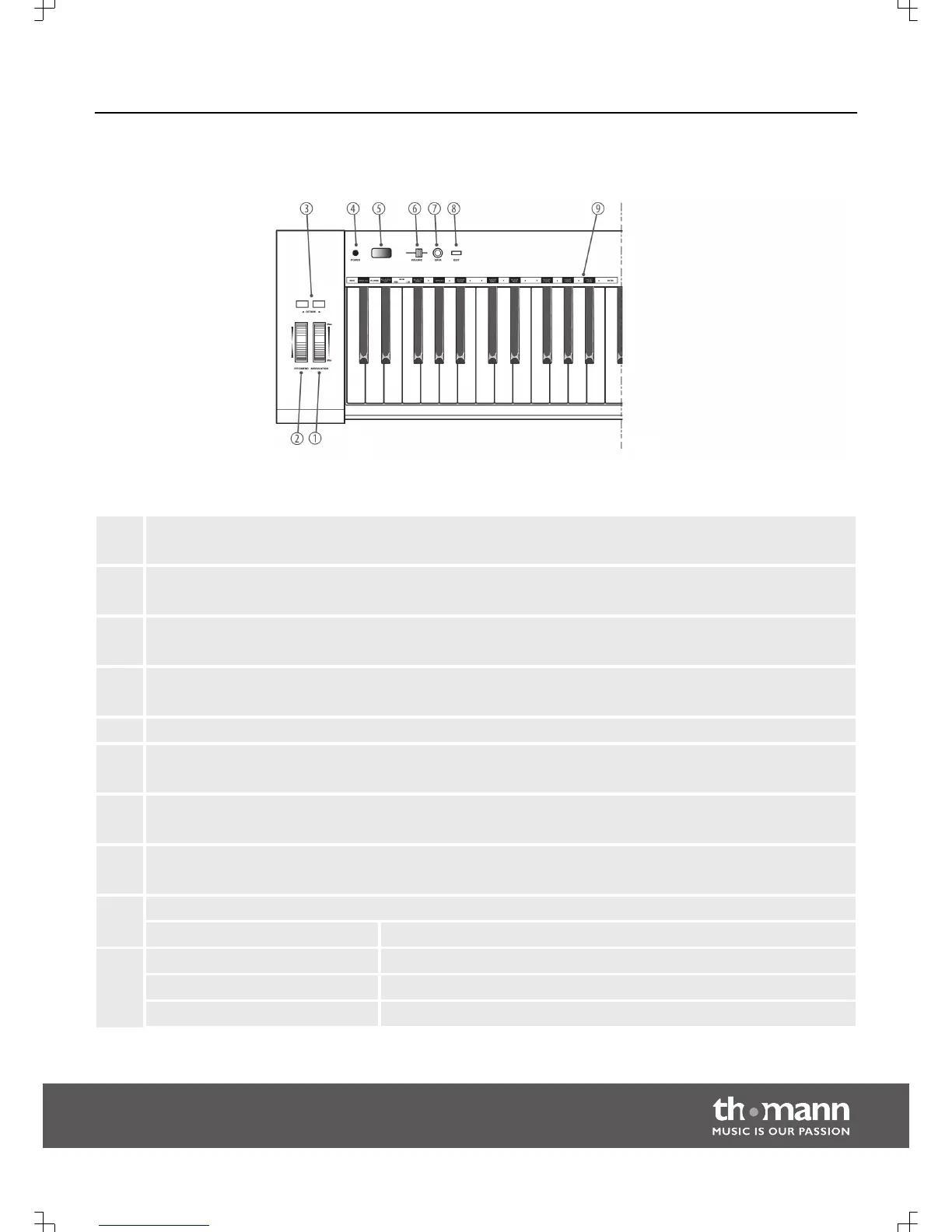
1 [MODULATION]
Modulation wheel.
2 [PITCHBEND]
Pitchbend wheel to vary the pitch when playing.
3 [OCTAVE]
Buttons to octave / transpose the keyboard.
4 [POWER]
Button to turn the device off.
5 Display.
6 [VOLUME]
Slide volume control.
7 [DATA]
Programmable encoder.
8 [EDIT]
Button to activate the Edit mode.
9 Piano keys with special functions in Edit mode
Key labelling: Function:
[PROG] Key to activate programme selection.
[RESET ALL] Key to reset all MIDI values.
[CHANNEL] Key to activate channel selection.
Operating panel
Connections and operating elements
EasyKey 25, EasyKey 49, EasyKey 61
9



 To Next Page