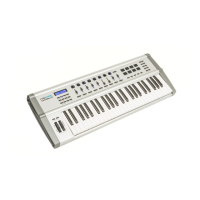
Proceed as follows to load a preset:
1. Press [EDIT] to activate the Edit mode.
2. Press [PRESET LOAD].
ð
The display shows ‘Lod’.
3. Use the numeric keys to enter a value between ‘1’…‘9’.
4. Confirm the input with [ENTER].
5. Press [EDIT] to leave the Edit mode.
Proceed as follows to set the fader function:
1. Press [EDIT] to activate the Edit mode.
2. Press [ASSIGN FADER].
ð
The currently set value is flashing in the display.
3. Enter the desired value (‘1’…‘127’) via the numeric keys.
4. Confirm the input with [ENTER].
5. Press [EDIT] to leave the Edit mode.
Proceed as follows to set the pedal function:
1. Press [EDIT] to activate the Edit mode.
2. Press [ASSIGN PEDAL].
ð
The currently set value is flashing in the display.
3. Enter the desired value (‘1’…‘127’) via the numeric keys.
4. Confirm the input with [ENTER].
5. Press [EDIT] to leave the Edit mode.
Proceed as follows to set the encoder:
1. Press [EDIT] to activate the Edit mode.
2. Press [ASSIGN KNOB].
ð
The currently set value is flashing in the display.
3. Enter the desired value (‘1’…‘127’) via the numeric keys.
4. Confirm the input with [ENTER].
5. Press [EDIT] to leave the Edit mode.
Loading a preset
Fader function
Pedal function
Encoder
Functions
MIDI keyboard
14



 To Next Page