Need help?
Do you have a question about the Swissvoice Xtra 1110 and is the answer not in the manual?
Guidelines for optimal phone placement and operating environment.
Steps for connecting the handset and telephone line for desktop use.
Guide for securely attaching the phone base to a wall surface.
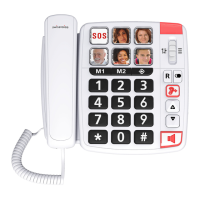
How to insert photos or SOS labels onto the 6 memory keys.
Procedures for initiating, answering, and ending calls.
Instructions for calling stored numbers, including SOS contacts.
How to dial the most recently outgoing phone number.
Adjusting the audio level for hands-free telephone conversations.
Steps to adjust handset volume and activate the +30dB audio boost.
Fine-tuning handset sound pitch (bass/treble) for clarity.
Guide to storing phone numbers on SOS, Photos, M1, and M2 keys.
How to configure the duration of the telephone's flash function.
Instructions for switching between tone and pulse dialing modes.
 General
| Type | Analog telephone |
|---|---|
| Handset type | Wired handset |
| Answering machine | No |
| Number of melodies | 1 |
| Number of ringer volume levels | 2 |
| Number of handset volume levels | 4 |
| Elderly phone | Yes |
| Mounting type | Ceiling/Desk |
| Product color | White |
| Phonebook capacity | 8 entries |
| Volume control | Buttons |
| Personalization | Icons |
| Headset connectivity | RJ-11 |
 Weight and Dimensions
| Depth | 200 mm |
|---|---|
| Width | 217 mm |
| Height | 82 mm |
| Weight | 820 g |

 To Next Page