318BTS Stereo Phantom Powered Bluetooth® Audio Receiver User Manual Rev 0A Page 5
All power sources connected to this equipment
must be separated form mains voltages by double or
reinforced insulation or by basic insulation plus a
grounded shield.
plus a grounded shield.
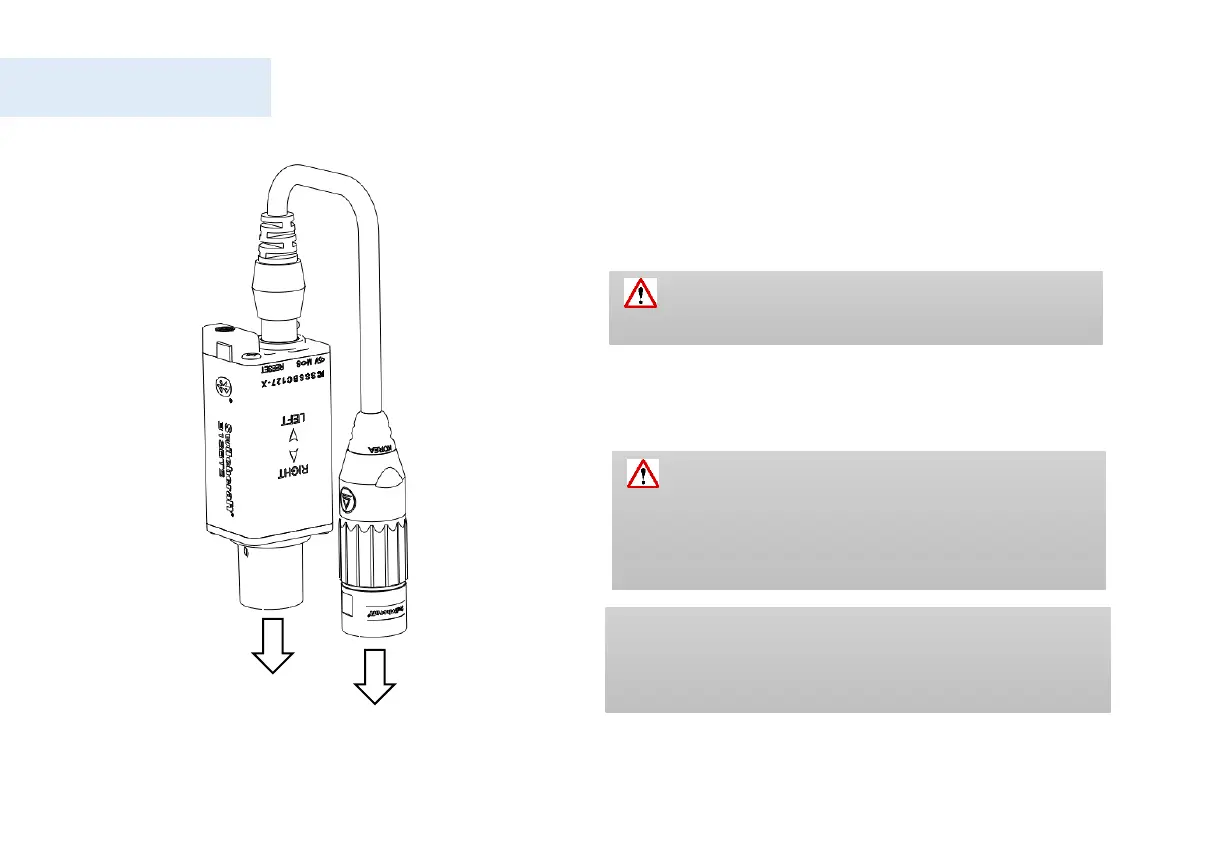
Insert 318BTS into the audio mixer (Mic level),
then connect the audio breakout cable supplied with
the unit and insert the other end into a second
channel on the audio mixer.
Turn ON the Phantom Power supply, a red LED
will start to blink, allow red LED to blink for 30
seconds, or press the reset button using a pen.
Inserting 318BT while the Phantom Power is ON
should be avoided
Connecting 318BTS for the first time
To skip the waiting period for the 318BTS to be paired,
press the Reset button using a pen, yellow and red LED’s
will blink, allowing 318BTS to pair with other devices.


 To Next Page