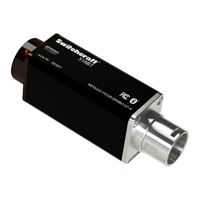
318BTS Stereo Phantom Powered Bluetooth® Audio Receiver User Manual Rev 0A Page 9
FAQ’s
Q: Why doesn’t the dongle work when plugged into my mixer?
A: Plugging the dongle when the Phantom Power “ON” may trigger a protection circuit,
remove the dongle from the mixer, turn “OFF” the Phantom Power, wait for 60 seconds
and try again.
Q: Why is the audio output level so low?
A: Raise the volume on your source device (phone, tablet, etc.…).
Q: Why does the dongle have a red LED blinking and I cannot connect to the dongle
though I waited for more than 30 Sec?
A: Continuous red blinking LED is mostly caused by losing connection to the source, for
example if the operator left the room with the phone or tablet and the connection was
compromised, connection can be restored by resetting the 318BTS using the Reset button.
Q: Why doesn’t the dongle work on Phantom Power while working well on USB power?
A: The Phantom Power on your mixer has to be greater than 46.5V, using two channels
can enable the unit to work in even less voltages.
Q: I cannot get a good range! The audio starts breaking with less than 100’ distance!
Why?
A: The human body blocks the high frequency Bluetooth
®
signal, if you are using a
Smartphone, it is not recommended to put it in your pocket while streaming, also Line-Of-
Sight operation will enhance the range.
Q: Can I connect the Dongle to a Bluetooth
®
speaker or headphone?
A: No, the unit only acts as “Slave” and can only be connected to a “Master” device
(Phone, tablet, PC...etc.).


 To Next Page