5
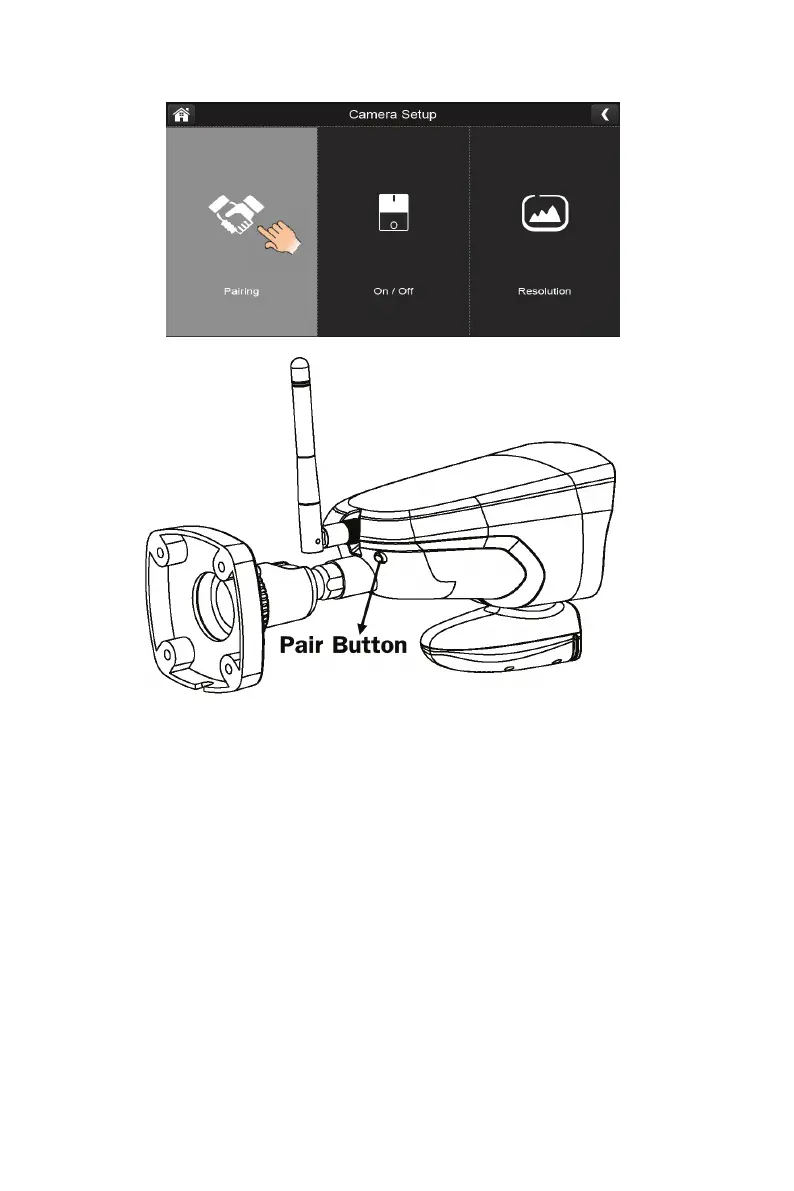
Pairing
Your cameras are paired to the monitor at the factory to channels 1 and 2. When you add a new camera
to your system, you have to “introduce” the camera and monitor to each other so they can communicate.
You can also use this procedure to move a camera from one channel to a different channel.
Some things to know about pairing cameras:
If a camera is already assigned to the selected channel, the pairing operation overwrites that
camera link with the new one.
Only pair one camera at a time! The monitor links to the first camera it detects. If two or more
cameras are in pairing mode, you can’t control which camera the monitor will detect first.



 To Next Page