Viewing and Editing Projects
12
Swivl User Guide
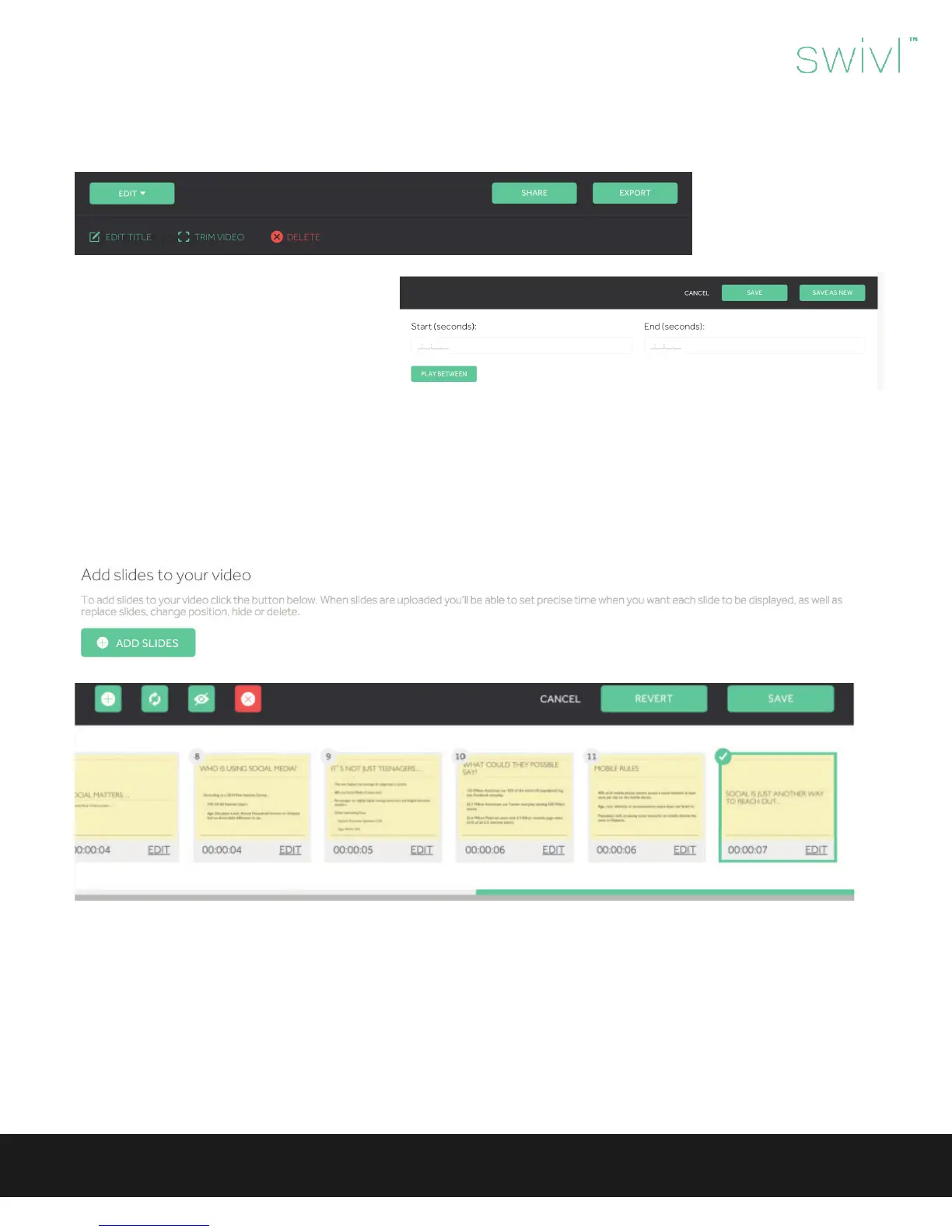
When you choose ‘View Project’ you are able to edit, produce, share or export your project.
Videos without slides have the following editing
options:
• Edit Title: Create a unique name and de-
scription for your video.
• Trim Video: Trim the beginning or ending
of a video and save as an existing or new
project.
• Delete: Permanently delete the video from
Swivl Cloud.
• Add Slides: Add slides to your video (.jpeg,
.png, .ppt, .pptx, .pdf). When slides are up-
loaded you are able to set precise time when
you want each slide to be displayed, as well
as replace slides, change position, hide or
delete.
When editing slides, you have the ability to change the timing of the slides so that they are aligned to the video content.
The editing functions also include the ability to:
• Upload new slide
• Replace selected slide
• Hide selected slide
• Remove selected slide



 To Next Page