8
Swivl Capture App
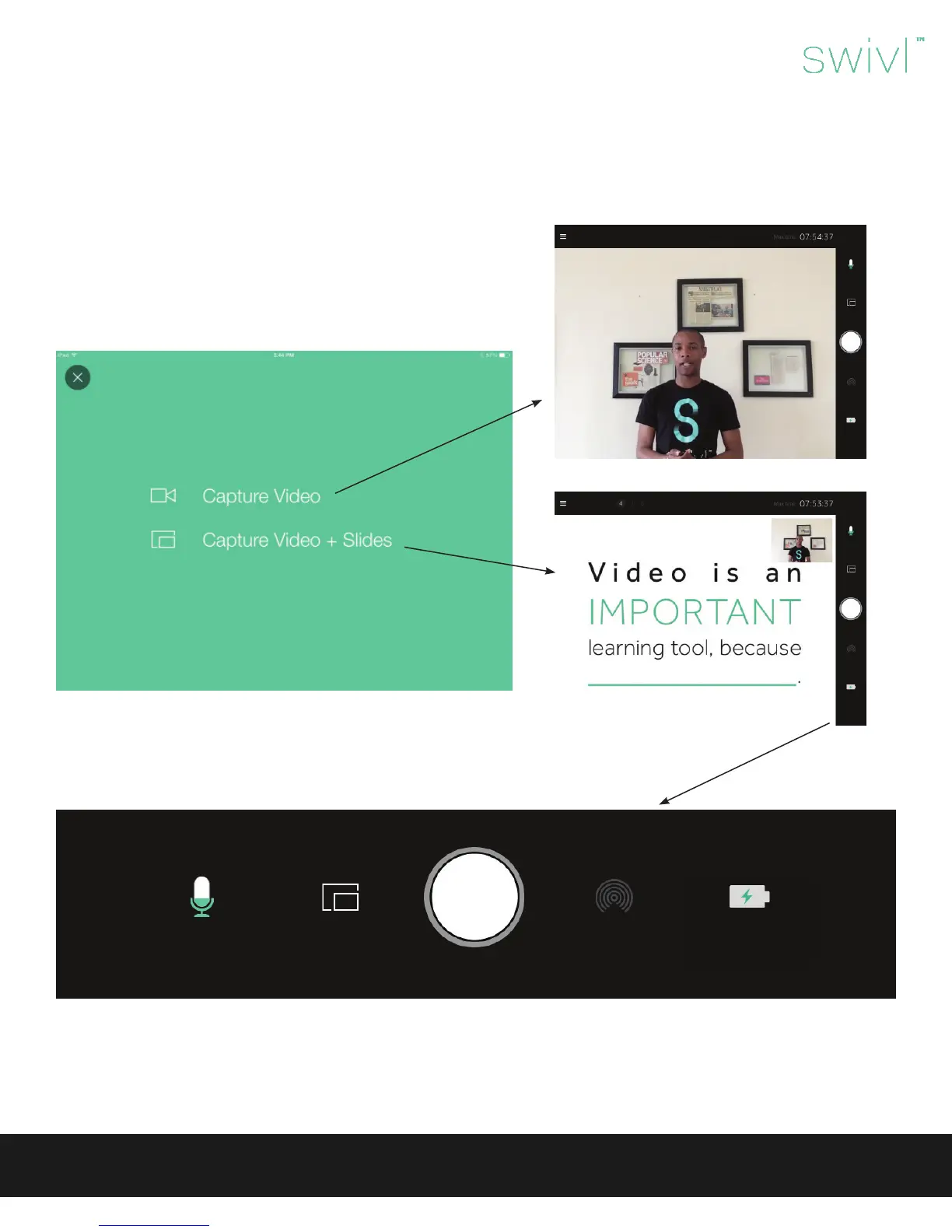
Record
(This will ash red while recording.)
Mobile device
charging
Picture-in-picture
(switch cameras, set countdown
timer, swap picture-in-picture)
Audio level
Bluetooth
Connection
Swivl User Guide
When rst opening the Swivl Capture App you will be prompted to
create a Swivl Cloud account. This will allow you to manage all of your
videos on any device with an Internet browser.
Next, you will see a splash screen with two options:
• Capture Video: Capture video only.
• Capture Video + Slides: View preloaded slides with your video.
(The slides must be uploaded in Swivl Cloud, and the arrows on the
front of your marker will advance your slides.)
Within the capture screen you will notice a bar with the following icons.



 To Next Page