This TV can receive Caption and Text.
CAPTION MODE
1) Closed Caption Characters can be displayed on the TV screen only when the received broad-
cast signal contains Caption Signals.
2) Paint-on mode: Displays input characters on the screen immediately.
Pop-on mode: Once characters are stored in memory, they are displayed all at once.
Roll-up mode: Displays the characters continuously by scrolling (max. 4 lines)
Note: If [CAPTION1] or [CAPTION2] is selected but a Closed Caption signal is not included,
characters will not be displayed.
TEXT MODE
1) Displays the text on the screen by scrolling (max. 7 lines)
2) If the received broadcast signal does not contain caption or text signals, no change will occur.
Notes:
1) When your TV receives a special effects playback signal (i.e., Search, Slow and Still) from a
VCR’s video output channel (CH3 or CH4), your TV may not display the correct caption or
text.
2) Captions and texts may not match the TV voice exactly.
3) Interference may cause the closed caption system not to function properly.
4) The caption or text characters will not be displayed while the menu display or functions dis-
play is shown.
5) If you see this screen:
If your TV displays a black box on the screen, this means that your TV is set to TEXT mode. To
clear screen, select [CAPTION1], [CAPTION2] or [OFF].
CONNECTIONS
PRECAUTIONS
●
Place your TV in a room with adequate ventilation.
●
Keep your TV set away from sources of direct heat, such as heat registers or direct sunlight.
●
Do not place your TV on soft surfaces, such as rugs or blankets.
●
Leave enough room for air to circulate around the bottom, top and back of the set.
FEATURES
●
MTS/SAP Tuner
●
181 Channel Selection- All VHF/UHF channels plus up to 125 cable channels.
●
PLL Frequency Synthesized Tuning- The latest PLL frequency synthesized electronic tun-
ing system provides free and easy channel selection and lets you tune directly to any channel
using the channel number buttons (0~9 and +100-key) on the remote control.
●
On-Screen Function Display
●
Full-Function Remote Control
●
Sleep Timer
●
Closed Caption Decoder- You may view specially labeled (cc) TV programs, movies, news,
prerecorded tapes, etc. with either a dialogue caption or text display added to the program.
●
Auto Shut Off Function- If there is no signal input from the antenna terminal and no user
operation for 15 minutes, the TV will turn itself off automatically.
●
V-CHIP- Enables parents to prevent their children from watching inappropriate material on TV.
●
S-VIDEO Input- allows you to get better picture detail and clarity for the playback of S-VHS
VCR tapes, Video Discs, Satellite System, Video Game or Video Cameras.
●
Component Input
CLOSED CAPTION
UHF
Antenna
(Not supplied)
VHF
Antenna
(Not supplied)
VHF/UHF Combiner
(Not supplied)
VHF/UHF
Combination Antenna
(Not supplied)
OR
OR
OUT IN
75-ohm
Coaxial Cable
From Cable System
From Cable System
or Satellite Antenna
75-ohmCoaxial Cable
CATV Box
*
or Satellite Box
(Not supplied)
*Some cable TV systems use scram-
bled signals and require a special
converter to receive these channels.
Consult your local cable company.
Note to CATV system installer:
This reminder is provided to call the CATV system installer's attention to Article 820-
40 of the NEC that provides guidelines for proper grounding and in particular, specifies
that the cable ground shall be connected to the grounding system of the building as
close to the point of cable entry as practical.
FCC WARNING- This equipment may
generate or use radio frequency energy.
Changes or modifications to this equip-
ment may cause harmful interference
unless the modifications are expressly
approved in the instruction manual.
The user could lose the authority to
operate this equipment if an unautho-
rized change or modification is made.
IF YOU NEED ADDITIONAL ASSISTANCE FOR SET-UP OR OPERATING
AFTER READING OWNER’S MANUAL, PLEASE CALL TOLL FREE
1-800-968-3429, OR VISIT OUR WEB SITE AT http://www.funai-corp.com
Owner’s
Manual
0EMN02392 Printed in China
L0201UB * * *
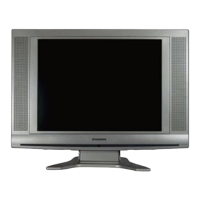
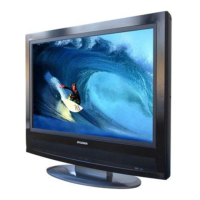
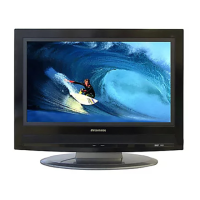
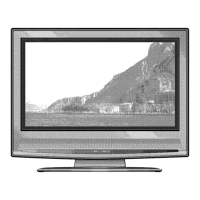
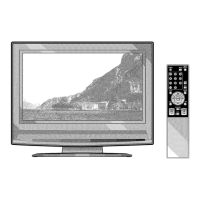
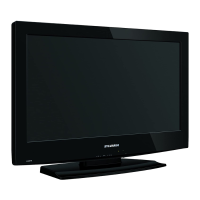
LCD TELEVISION
6615LE
(15 INCH Photo Stand Type)
CAUTION: TO PREVENT ELECTRIC
SHOCK, MATCH WIDE BLADE OF
PLUG TO WIDE SLOT, FULLY INSERT.
PHOTO STAND
Photo Stand
Adjust the length of the stand in 5 levels to change the angle of TV.
RF Cable (Not supplied)
ATTENTION:
POUR ÉVITER LES CHOC ÉLECTRIQUES,
INTRODUIRE LA LAME LA PLUS LARGE
DE LA FICHE DANS LA BORNE CORRE-
SPONDANTE DE LA PRISE ET POUSSER
JUSQU’AU FOND.
You can bracket this product
as wall mounting TV using
the arm adapted for 100mm
(commercially available).
SYLVANIA
LIMITED WARRANTY
FUNAI CORP. will repair this SYLVANIA product, free of charge in the USA in the event of defect in materials or workman-
ship as follows:
DURATION:
PARTS: FUNAI CORP. will provide parts to replace defective parts without charge for one (1) year from
the date of original retail purchase. Certain parts and LCD image burn-in are not covered under
this warranty.
LABOR: FUNAI CORP. will provide the labor without charge for a period of ninety (90) days from the date
of original retail purchase.
LIMITS AND EXCLUSIONS:
THIS WARRANTY IS EXTENDED ONLY TO THE ORIGINAL RETAIL PURCHASER. A PURCHASE RECEIPT
OR OTHER PROOF OF ORIGINAL RETAIL PURCHASE WILL BE REQUIRED TOGETHER WITH THE
PRODUCT TO OBTAIN SERVICE UNDER THIS WARRANTY.
This warranty shall not be extended to any other person or transferee.
This warranty is void and of no effect if any serial numbers on the product are altered, replaced, defaced, missing or
if service was attempted by an unauthorized service center. This SYLVANIA Limited warranty does not apply to any
the product not purchased and used in the United States.
This warranty only covers failures due to defects in material or workmanship which occurs during normal use. It does
not cover damage which occurs in shipment, or failures which are caused by repairs, alterations or product not sup-
plied by FUNAI CORP., or damage which results from accident, misuse, abuse, mishandling, misapplication, alter-
ation, faulty installation, improper maintenance, commercial use such as hotel, rental or office use of this product or
damage which results from fire, flood, lightning or other acts of God.
THIS WARRANTY DOES NOT COVER PACKING MATERIALS, ANY ACCESSORIES (EXCEPT REMOTE
CONTROL), ANY COSMETIC PARTS, COMPLETE ASSEMBLY PARTS, DEMO OR FLOOR MODELS.
FUNAI CORP. AND ITS REPRESENTATIVES OR AGENTS SHALL IN NO EVENT BE LIABLE FOR ANY
GENERAL, INDIRECT OR CONSEQUENTIAL DAMAGES ARISING OUT OF OR OCCASIONED BY THE
USE OF OR THE INABILITY TO USE THIS PRODUCT. THIS WARRANTY IS MADE IN LIEU OF ALL
OTHER WARRANTIES, EXPRESS OR IMPLIED, AND OF ALL OTHER LIABILITIES ON THE PART OF
FUNAI, ALL OTHER WARRANTIES INCLUDING THE WARRANTY OF MERCHANTABILITY AND FITNESS
FOR A PARTICULAR PURPOSE, ARE HEREBY DISCLAIMED BY FUNAI AND ITS REPRESENTATIVES IN
THE UNITED STATES.
ALL WARRANTY INSPECTIONS AND REPAIRS MUST BE PERFORMED BY A FUNAI AUTHORIZED SER-
VICE CENTER. THIS WARRANTY IS ONLY VALID WHEN THE UNIT IS CARRIED-IN TO A FUNAI AUTHO-
RIZED SERVICE FACILITY.
THE PRODUCT MUST BE ACCOMPANIED BY A COPY OF THE ORIGINAL RETAIL PURCHASE RECEIPT.
IF NO PROOF OF PURCHASE IS ATTACHED, THE WARRANTY WILL NOT BE HONORED AND REPAIRS
COSTS WILL BE CHARGED.
IMPORTANT:
THIS LIMITED WARRANTY GIVES YOU SPECIFIC LEGAL RIGHTS. YOU MAY HAVE OTHER RIGHTS THAT
VA RY FROM STATE TO STATE. IF, AT ANY TIME DURING THE WARRANTY PERIOD, YOU ARE UNABLE TO
OBTAIN SATISFACTION WITH THE REPAIR OF THIS PRODUCT, PLEASE CONTACT FUNAI CORP.
ATTENTION:
FUNAI CORP. RESERVES THE RIGHT TO MODIFY ANY DESIGN OF THIS PRODUCT
WITHOUT PRIOR NOTICE.
To locate your nearest SYLVANIA Authorized Service Center or general service procedure,
please call 1-800-968-3429 or write to the following:
FUNAI CORPORATION, INC.
SERVICE CENTER
19900 Van Ness Avenue, Torrance, CA 90501
Tel :1-800-968-3429
http://www.funai-corp.com
Head Office: 100 North Street, Teterboro, NJ 07608
PLEASE DO NOT SHIP YOUR UNIT TO THE TETERBORO ADDRESS.

 Need help?

 To Next Page

 General