EasyManua.ls Logo

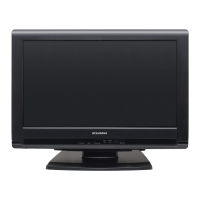
Sylvania LC195SLX - User Manual

Sylvania LC195SLX
118 pages
Print Icon
To Next Page IconTo Next Page
Loading...
EnglishEspañol Français
LC195SLX
Owners Manual
Guide d’utilisation
Manual del Usuario
© 2009 Funai Electric Co., Ltd.
TO RECEIVE DIGITAL/ANALOG SIGNAL,
YOU MUST CONNECT ANTENNA.
POUR RECEVOIR LE SIGNAL
NUMÉRIQUE /ANALOGIQUE, VOUS
DEVEZ CONNECTER LANTENNE.
PARA RECIBIR LA SEÑAL DIGITAL/
ANALÓGICA, DEBE CONECTAR LA
ANTENA.
MODEL NUMBER SERIAL NUMBER
NEED HELP?
BESOIN D’AIDE ?
¿NECESITA AYUDA?
PLEASE CALL TOLL FREE!
APPELEZ NOTRE NUMÉRO GRATUIT !
¡LLAME POR FAVOR SIN COSTO!
1-866-321-3927
OR VISIT OUR WEB SITE AT
OU VISITEZ NOTRE SITE WEB À LADRESSE
Ó VISITE NUESTRO SITIO WEB EN
www.sylvaniaconsumerelectronics.com
HIGH-DEFINITION TELEVISION

Table of Contents

Question and Answer IconNeed help?

Do you have a question about the Sylvania LC195SLX and is the answer not in the manual?

Summary

Precautions

Important Safety Instructions

General safety guidelines for operating the apparatus.

FCC Warning and Interference

Compliance with FCC rules for digital devices and radio frequency energy.

Declaration of Conformity

Manufacturer details and compliance statements.

Health and Environmental Precautions

Electrical Shock and Fire Hazards

Precautions to avoid electrical shock and fire hazards, including handling the power cord.

Location and Handling Guidelines

Guidelines for proper placement, handling, and avoiding environmental factors.

Recycling Information

Information on recycling packaging materials and batteries.

Trademark Information

Details about trademarks like HDMI, Dolby, and ENERGY STAR.

INTRODUCTION

Supplied Accessories

List of accessories included with the unit, with part numbers.

Attaching and Removing the Stand

Step-by-step instructions for attaching and detaching the TV stand.

Symbols Used in this Manual

Explanation of symbols used throughout the manual.

INTRODUCTION

Features Overview

Overview of the TV's main features and capabilities, including DTV, Child Lock, and input options.

INTRODUCTION

Control Panel Functions

Description and functions of the buttons on the TV's control panel.

Input;Output Terminals

Identification and explanation of all input/output terminals on the unit.

INTRODUCTION

Remote Control Functions

Explanation of each button on the remote control and its function.

Installing Remote Batteries

Instructions for installing batteries into the remote control.

PREPARATION

Antenna and Cable Connection

Instructions for connecting an antenna or cable TV signal.

Connecting External Devices

Guide for connecting cable/satellite boxes via HDMI or component video.

PREPARATION

HDMI and DVI Connections

Instructions for connecting external devices via HDMI and HDMI-DVI conversion.

PREPARATION

Component and S-Video Connections

Instructions for connecting devices using component video and S-Video cables.

PREPARATION

Video and Digital Audio Connections

Instructions for connecting devices using RCA video and digital audio coaxial cables.

PREPARATION

PC Connection and AC Power

Instructions for connecting the TV to a PC and plugging in the AC power cord.

PREPARATION

Initial Setup Guide

Step-by-step guide for the initial setup process, including language and autoscan.

WATCHING TV

Channel Selection and Volume

How to select channels and adjust the volume, including mute function.

Sleep Timer Function

How to set and cancel the sleep timer for automatic power off.

WATCHING TV

Still Mode and Audio Modes

How to pause the screen image and switch audio modes for TV and digital broadcasts.

Input Mode Switching

How to switch between different input sources like TV, Video, HDMI.

WATCHING TV

TV Screen Information Display

How to display current channel, audio mode, and broadcasting details.

WATCHING TV

TV Screen Display Modes

How to select different display modes (aspect ratios) for video and PC signals.

OPTIONAL SETTING

Main Menu Overview

Overview of the main menu options for settings like Picture, Sound, Channel, Detail, Language.

Autoscan Function

How to perform an automatic scan for available TV channels.

OPTIONAL SETTING

Channel List Management

How to skip or reactivate channels in the channel list.

Manual Channel Registration

How to manually add channels not found by autoscan.

OPTIONAL SETTING

Antenna Signal Confirmation

How to check the digital signal strength for each channel.

Language Selection

How to select the on-screen menu language (English, Spanish, French).

OPTIONAL SETTING

Picture Adjustment Options

How to adjust picture settings like brightness, contrast, color, tint, and sharpness.

OPTIONAL SETTING

Sound Adjustment Options

How to adjust sound mode, equalizer, and TV speaker settings.

OPTIONAL SETTING

Closed Caption Setup

How to view and set up closed captions for TV programs, including caption service.

OPTIONAL SETTING

Digital Caption Service Settings

Settings for digital closed caption service, including service selection.

Caption Style Customization

How to change caption style, font, color, size, etc., for digital captions.

OPTIONAL SETTING

Caption Style and Appearance

Adjustments for font style, size, color, opacity, background, edge, and type for captions.

OPTIONAL SETTING

Child Lock and PIN Code

How to set up child lock to block programs, channels, and set/reset the PIN code.

OPTIONAL SETTING

Channel Lock Function

How to make specific channels or input modes invisible.

MPAA Rating Parental Control

How to set parental controls based on MPAA film ratings.

OPTIONAL SETTING

TV Rating Parental Control

How to set parental controls based on TV program ratings and sub-ratings.

OPTIONAL SETTING

Setting a New PIN Code

How to set or reset the PIN code for parental control features.

OPTIONAL SETTING

PC Screen Settings

How to adjust PC screen position, clock, and phase for PC input.

OPTIONAL SETTING

Energy Saving and Location Modes

How to set energy saving options and location modes (Retail/Home).

OPTIONAL SETTING

Current Software Information

How to check the current software version of the unit.

TROUBLESHOOTING

Frequently Asked Questions (FAQ)

Common questions and answers for troubleshooting operational issues.

TROUBLESHOOTING

Troubleshooting Symptoms and Remedies

A guide to diagnose and resolve common operational problems like no power, no image, or no sound.

TROUBLESHOOTING

Input Switching and Caption Issues

Troubleshooting tips for input switching, screen size changes, and caption display problems.

INFORMATION

Glossary and Maintenance

Definitions of technical terms and instructions for unit maintenance and cleaning.

IR Signal Check

How to check if the remote control is sending an infrared signal using a camera.

INFORMATION

Technical Specifications Summary

Details on TV format, terminals, audio, power, dimensions, weight, and screen size.

LIMITED WARRANTY

Warranty Coverage and Exclusions

Details on what the warranty covers, who is covered, and what is excluded.

Obtaining Warranty Assistance

Contact information for customer support and warranty claims.

Summary

Precautions

Important Safety Instructions

General safety guidelines for operating the apparatus.

FCC Warning and Interference

Compliance with FCC rules for digital devices and radio frequency energy.

Declaration of Conformity

Manufacturer details and compliance statements.

Health and Environmental Precautions

Electrical Shock and Fire Hazards

Precautions to avoid electrical shock and fire hazards, including handling the power cord.

Location and Handling Guidelines

Guidelines for proper placement, handling, and avoiding environmental factors.

Recycling Information

Information on recycling packaging materials and batteries.

Trademark Information

Details about trademarks like HDMI, Dolby, and ENERGY STAR.

INTRODUCTION

Supplied Accessories

List of accessories included with the unit, with part numbers.

Attaching and Removing the Stand

Step-by-step instructions for attaching and detaching the TV stand.

Symbols Used in this Manual

Explanation of symbols used throughout the manual.

INTRODUCTION

Features Overview

Overview of the TV's main features and capabilities, including DTV, Child Lock, and input options.

INTRODUCTION

Control Panel Functions

Description and functions of the buttons on the TV's control panel.

Input;Output Terminals

Identification and explanation of all input/output terminals on the unit.

INTRODUCTION

Remote Control Functions

Explanation of each button on the remote control and its function.

Installing Remote Batteries

Instructions for installing batteries into the remote control.

PREPARATION

Antenna and Cable Connection

Instructions for connecting an antenna or cable TV signal.

Connecting External Devices

Guide for connecting cable/satellite boxes via HDMI or component video.

PREPARATION

HDMI and DVI Connections

Instructions for connecting external devices via HDMI and HDMI-DVI conversion.

PREPARATION

Component and S-Video Connections

Instructions for connecting devices using component video and S-Video cables.

PREPARATION

Video and Digital Audio Connections

Instructions for connecting devices using RCA video and digital audio coaxial cables.

PREPARATION

PC Connection and AC Power

Instructions for connecting the TV to a PC and plugging in the AC power cord.

PREPARATION

Initial Setup Guide

Step-by-step guide for the initial setup process, including language and autoscan.

WATCHING TV

Channel Selection and Volume

How to select channels and adjust the volume, including mute function.

Sleep Timer Function

How to set and cancel the sleep timer for automatic power off.

WATCHING TV

Still Mode and Audio Modes

How to pause the screen image and switch audio modes for TV and digital broadcasts.

Input Mode Switching

How to switch between different input sources like TV, Video, HDMI.

WATCHING TV

TV Screen Information Display

How to display current channel, audio mode, and broadcasting details.

WATCHING TV

TV Screen Display Modes

How to select different display modes (aspect ratios) for video and PC signals.

OPTIONAL SETTING

Main Menu Overview

Overview of the main menu options for settings like Picture, Sound, Channel, Detail, Language.

Autoscan Function

How to perform an automatic scan for available TV channels.

OPTIONAL SETTING

Channel List Management

How to skip or reactivate channels in the channel list.

Manual Channel Registration

How to manually add channels not found by autoscan.

OPTIONAL SETTING

Antenna Signal Confirmation

How to check the digital signal strength for each channel.

Language Selection

How to select the on-screen menu language (English, Spanish, French).

OPTIONAL SETTING

Picture Adjustment Options

How to adjust picture settings like brightness, contrast, color, tint, and sharpness.

OPTIONAL SETTING

Sound Adjustment Options

How to adjust sound mode, equalizer, and TV speaker settings.

OPTIONAL SETTING

Closed Caption Setup

How to view and set up closed captions for TV programs, including caption service.

OPTIONAL SETTING

Digital Caption Service Settings

Settings for digital closed caption service, including service selection.

Caption Style Customization

How to change caption style, font, color, size, etc., for digital captions.

OPTIONAL SETTING

Caption Style and Appearance

Adjustments for font style, size, color, opacity, background, edge, and type for captions.

OPTIONAL SETTING

Child Lock and PIN Code

How to set up child lock to block programs, channels, and set/reset the PIN code.

OPTIONAL SETTING

Channel Lock Function

How to make specific channels or input modes invisible.

MPAA Rating Parental Control

How to set parental controls based on MPAA film ratings.

OPTIONAL SETTING

TV Rating Parental Control

How to set parental controls based on TV program ratings and sub-ratings.

OPTIONAL SETTING

Setting a New PIN Code

How to set or reset the PIN code for parental control features.

OPTIONAL SETTING

PC Screen Settings

How to adjust PC screen position, clock, and phase for PC input.

OPTIONAL SETTING

Energy Saving and Location Modes

How to set energy saving options and location modes (Retail/Home).

OPTIONAL SETTING

Current Software Information

How to check the current software version of the unit.

TROUBLESHOOTING

Frequently Asked Questions (FAQ)

Common questions and answers for troubleshooting operational issues.

TROUBLESHOOTING

Troubleshooting Symptoms and Remedies

A guide to diagnose and resolve common operational problems like no power, no image, or no sound.

TROUBLESHOOTING

Input Switching and Caption Issues

Troubleshooting tips for input switching, screen size changes, and caption display problems.

INFORMATION

Glossary and Maintenance

Definitions of technical terms and instructions for unit maintenance and cleaning.

IR Signal Check

How to check if the remote control is sending an infrared signal using a camera.

INFORMATION

Technical Specifications Summary

Details on TV format, terminals, audio, power, dimensions, weight, and screen size.

LIMITED WARRANTY

Warranty Coverage and Exclusions

Details on what the warranty covers, who is covered, and what is excluded.

Obtaining Warranty Assistance

Contact information for customer support and warranty claims.
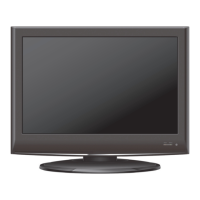
Sylvania LC195SLX Specifications

General IconGeneral
BrandSylvania
ModelLC195SLX
CategoryLCD TV
LanguageEnglish

Related product manuals